Open source, for good
The library, the Aperture reader, the editor and the viewer are public under the MPL 2.0. Read it, build it, fix it. If we ever stopped, anyone could pick Alter up and keep it going.

For everyone who never got over Aperture
Alter opens your Aperture library exactly as you left it — every project, version, rating, keyword and adjustment — and keeps going. Same keys. Same tools. And this time it’s open source, so nobody can take it away from you.
Download Alter — free Read the source
Version 1.0.8 · Free · Open-source core · macOS 13 or later · Apple Silicon & Intel
Open source
Apple stopped developing Aperture in 2014, and since macOS Catalina it won’t even open. Years of work — your projects, your keywords, your edits — stranded by a decision nobody asked you about. Alter is built so that can’t happen again: its core is open source, published in full under the Mozilla Public License.
The library, the Aperture reader, the editor and the viewer are public under the MPL 2.0. Read it, build it, fix it. If we ever stopped, anyone could pick Alter up and keep it going.
Photos you import stay in their own folders, with titles, captions and keywords written into the files as standard metadata. Alter’s catalog is a plain SQLite file beside your photos — readable by anything.
Alter reads it and never writes inside it. Keep it as your archive and open it in Alter as often as you like — it stays exactly as Aperture left it.
git clone https://github.com/twilightscapes/alter
cd alter && xcodegen generate
open Alter.xcodeproj
github.com/twilightscapes/alter Mozilla Public License 2.0 · Swift · macOS 13 or later
Your library
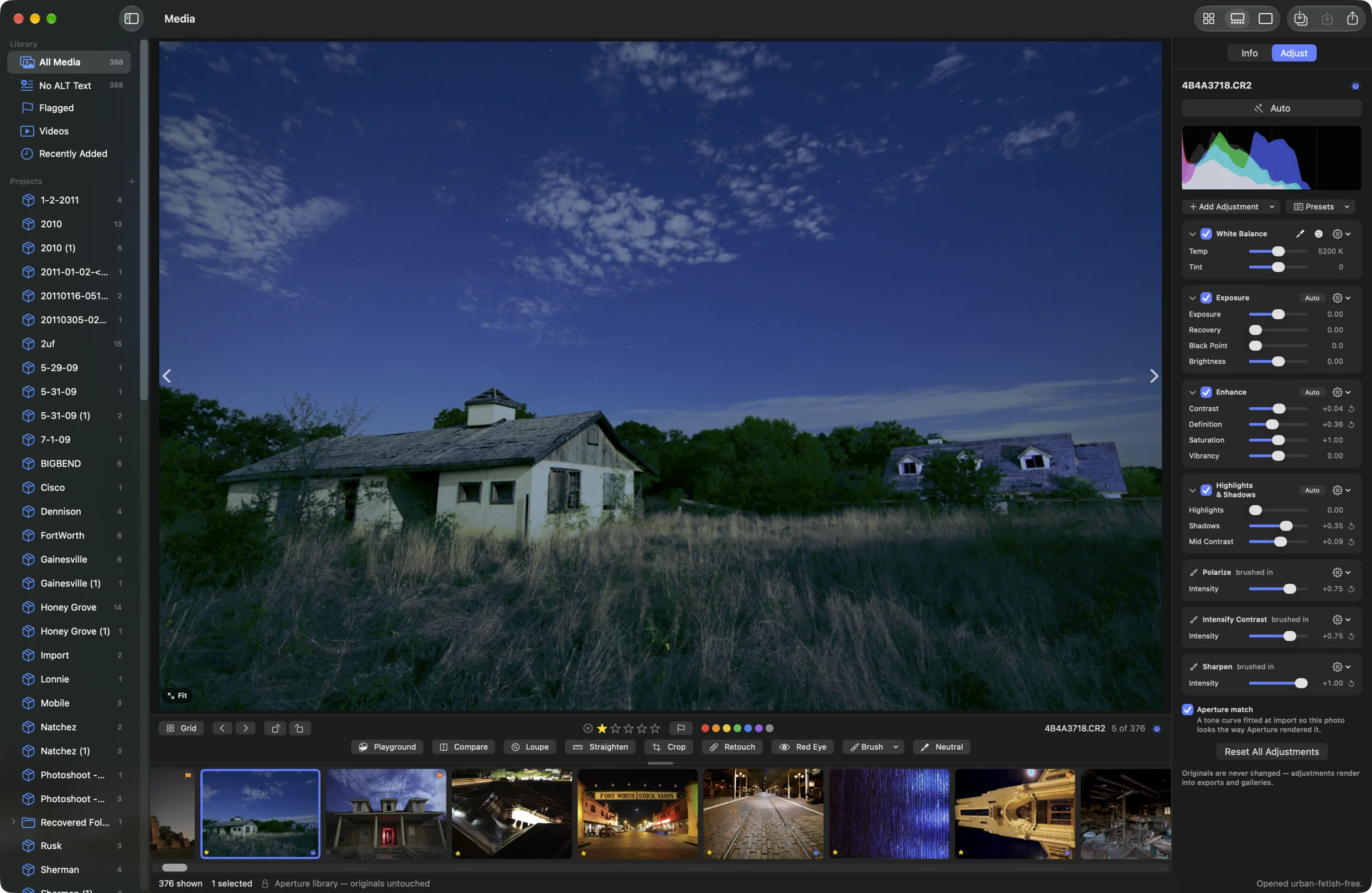
Double-click your .aplibrary in Finder, or choose
File ▸ Open Aperture Library. Alter reads it in place and builds its
own catalog beside it. Nothing moves. Nothing is modified.
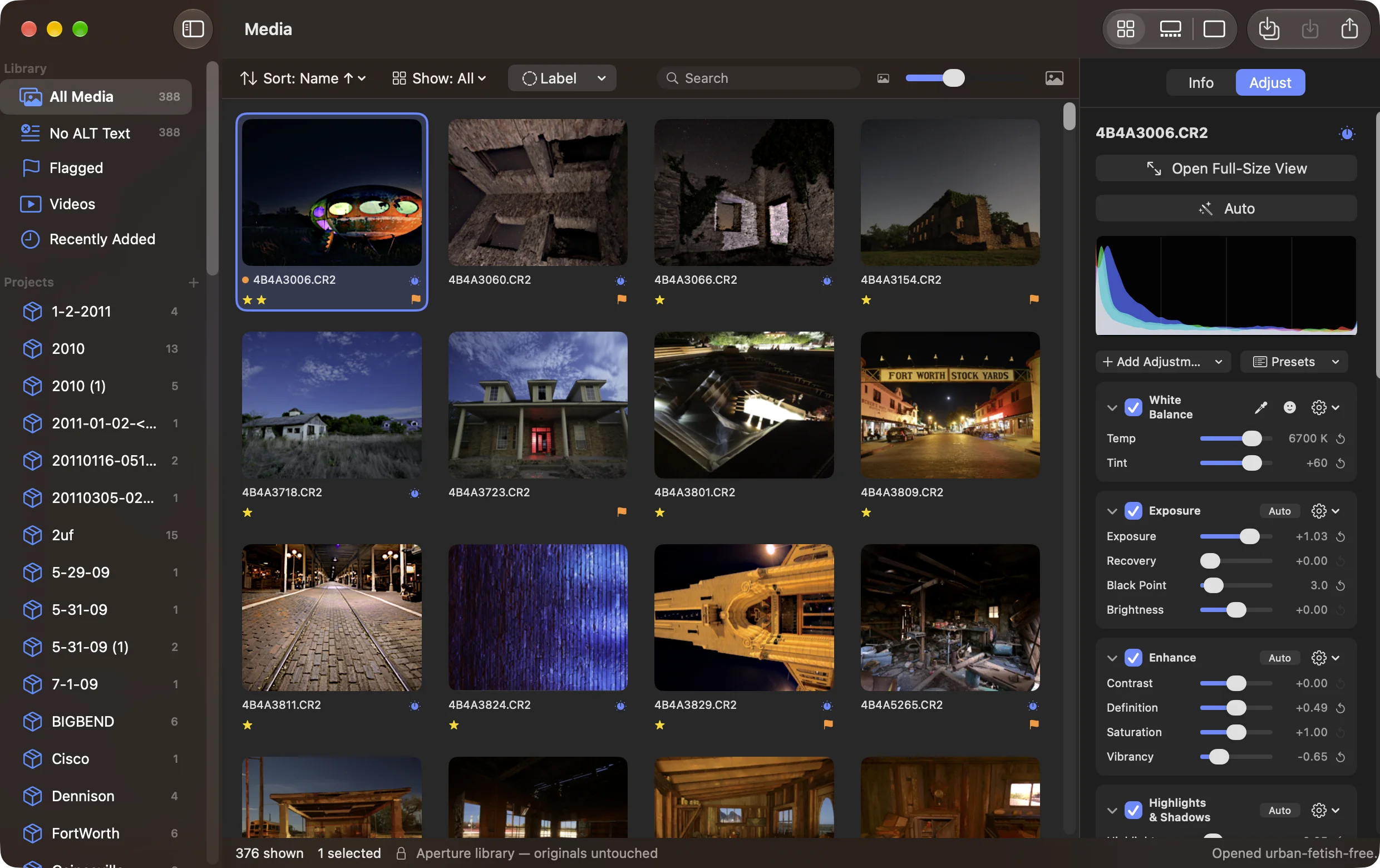
Masters on other drives? Connect the drive first — Alter looks for each referenced master where Aperture last saw it.
Your edits
Exposure, levels, curves, colour, white balance, black & white, vignettes, brushed-in adjustments, retouching, crops and straightening — Alter rebuilds each one from Aperture’s own recipe, so your photos still look the way you finished them. And they stay editable.
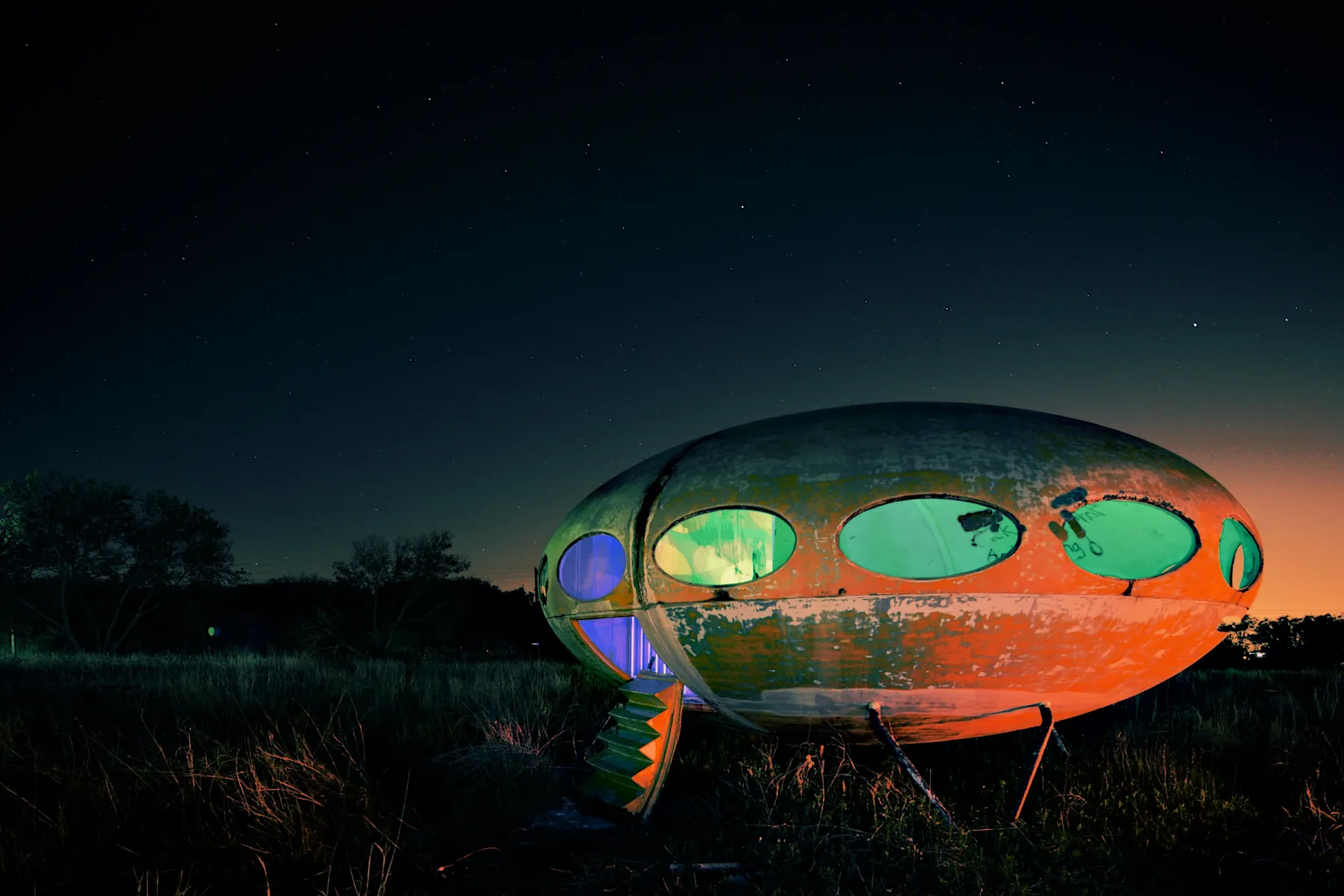
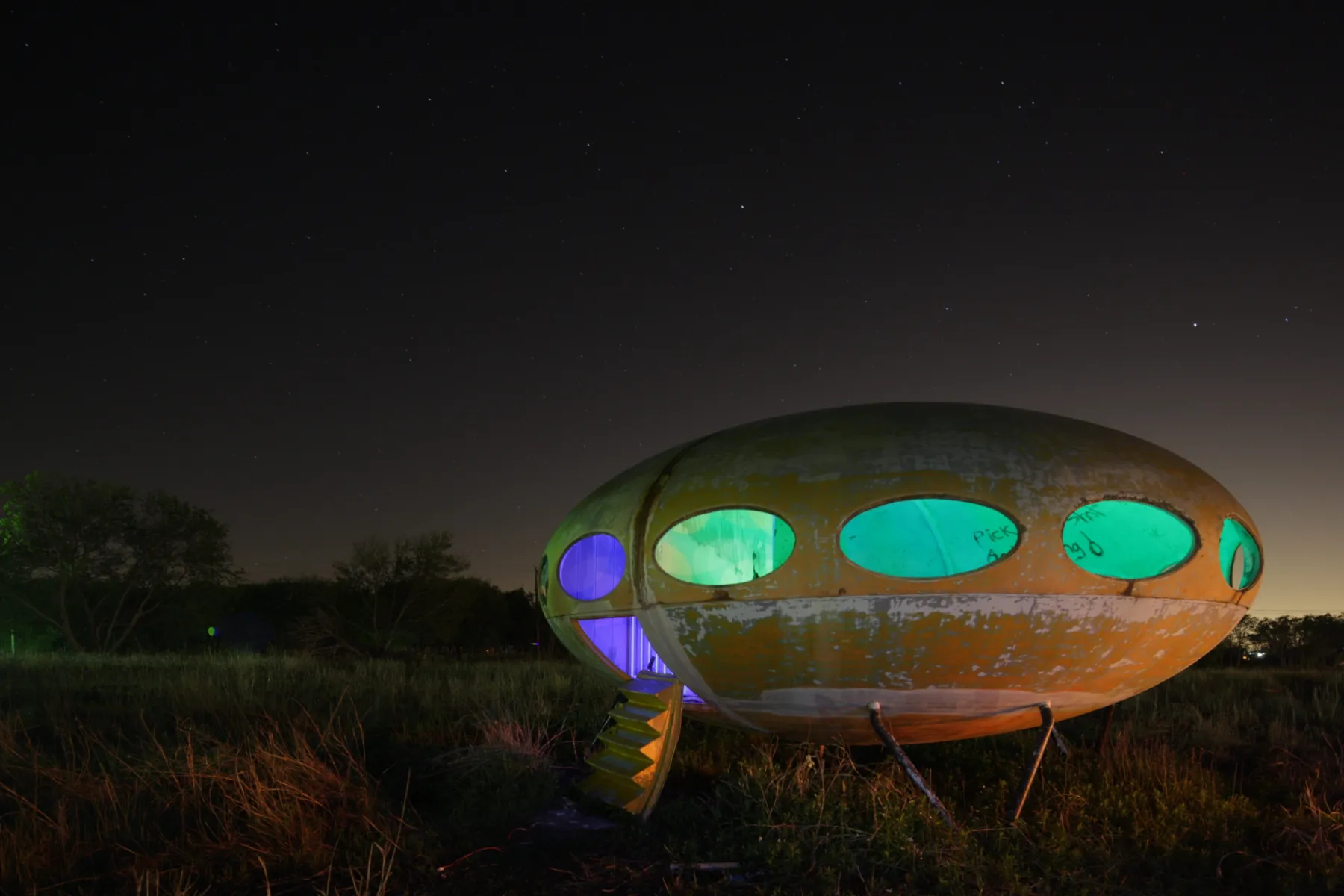
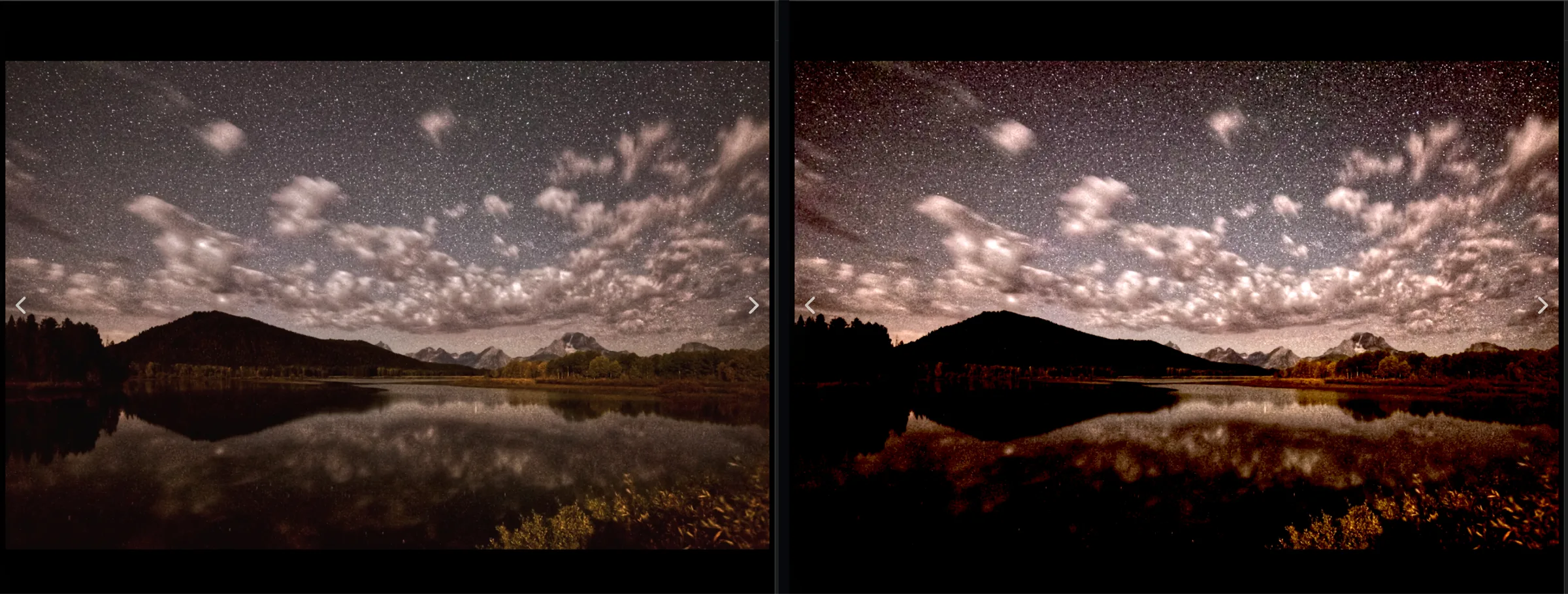
Drag across the photo. Switch the right-hand side to Aperture’s own preview and back — in Alter, that comparison is one click on the Compare badge.
What’s new
Faces. Places. Print. An Import window that knows your cards and cameras, and tethered shooting. The things you reached for in Aperture and missed — free, like the rest of what Aperture had.
Alter finds the faces in your library and groups the ones that look alike. Name a group in one go, then confirm what it suggests — Aperture’s Name tool and corkboard, back. Recognition runs on your Mac; no face ever leaves it.
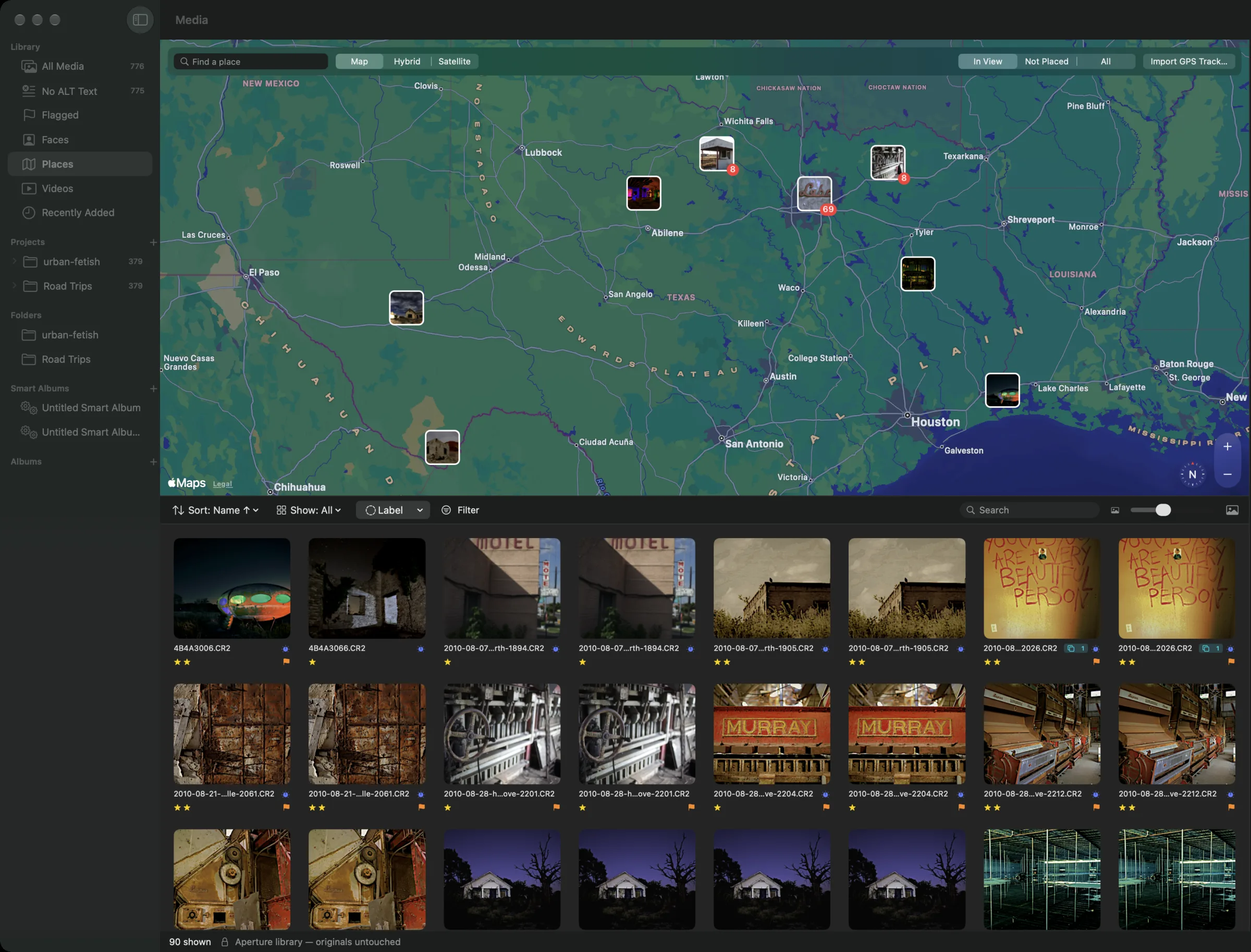
Your whole library on a map, gathered into pins that split as you zoom. Drag photos onto the map to place them, search for somewhere, or lay a GPS track over a shoot and every photo lands where it was taken — with place names to search by.
Standard, contact sheets and review sheets with names and stars, 4×6 to 8×10 and wallets, and presets of your own — with a live preview that is the print. No printer? Save it as a PDF.
Cards, cameras and folders in one window: rename as you copy, file into a project or a project per day, stamp creator and keywords, skip what’s already in. Tether a Canon or Sony and every shot lands in the library as you take it.
The Filter HUD narrows any view by rating, keyword, camera, person or place. Adjust Date & Time fixes a camera that was set to the wrong zone — in the library, and in the files if you like.
Metadata presets. The Mac’s Share menu. A Secondary Viewer for your other display. Detect Edges for brushes. Promote and demote in stacks, and Aperture’s own keys for them.
The tools
Adjustments stack as bricks, each with a checkbox, a gear and a reset arrow — White Balance, Exposure, Enhance, Highlights & Shadows, Levels, Curves, Color, Black & White, Vignette and more. Brush any of them in or away. Try a few:
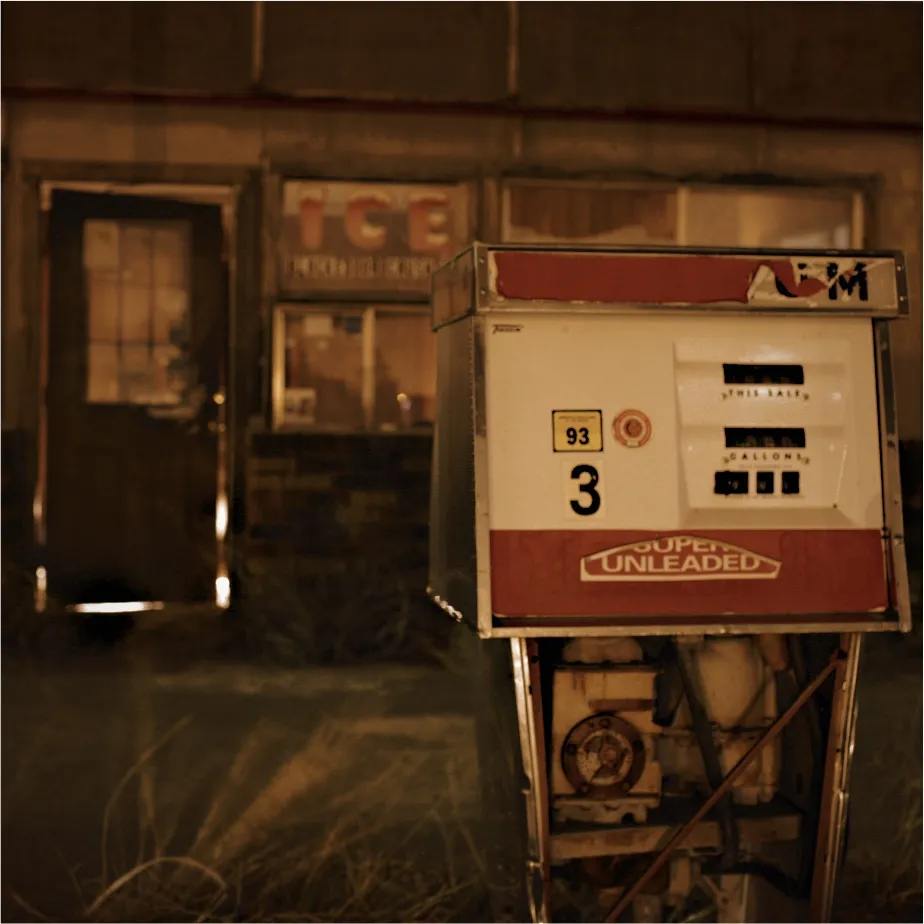
A browser sketch of the idea. Alter renders every brick with Core Image on the full-resolution file.
Select · S
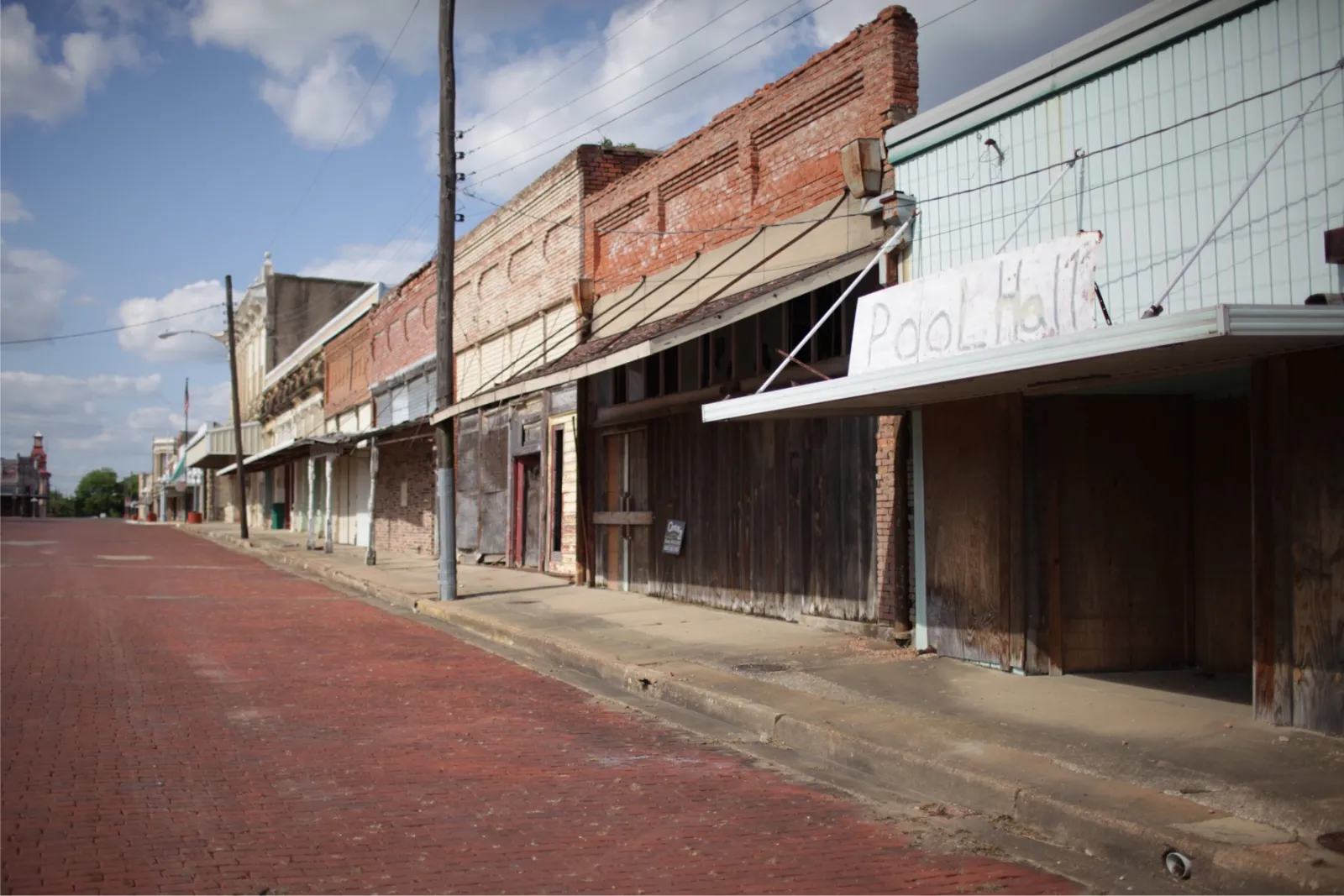
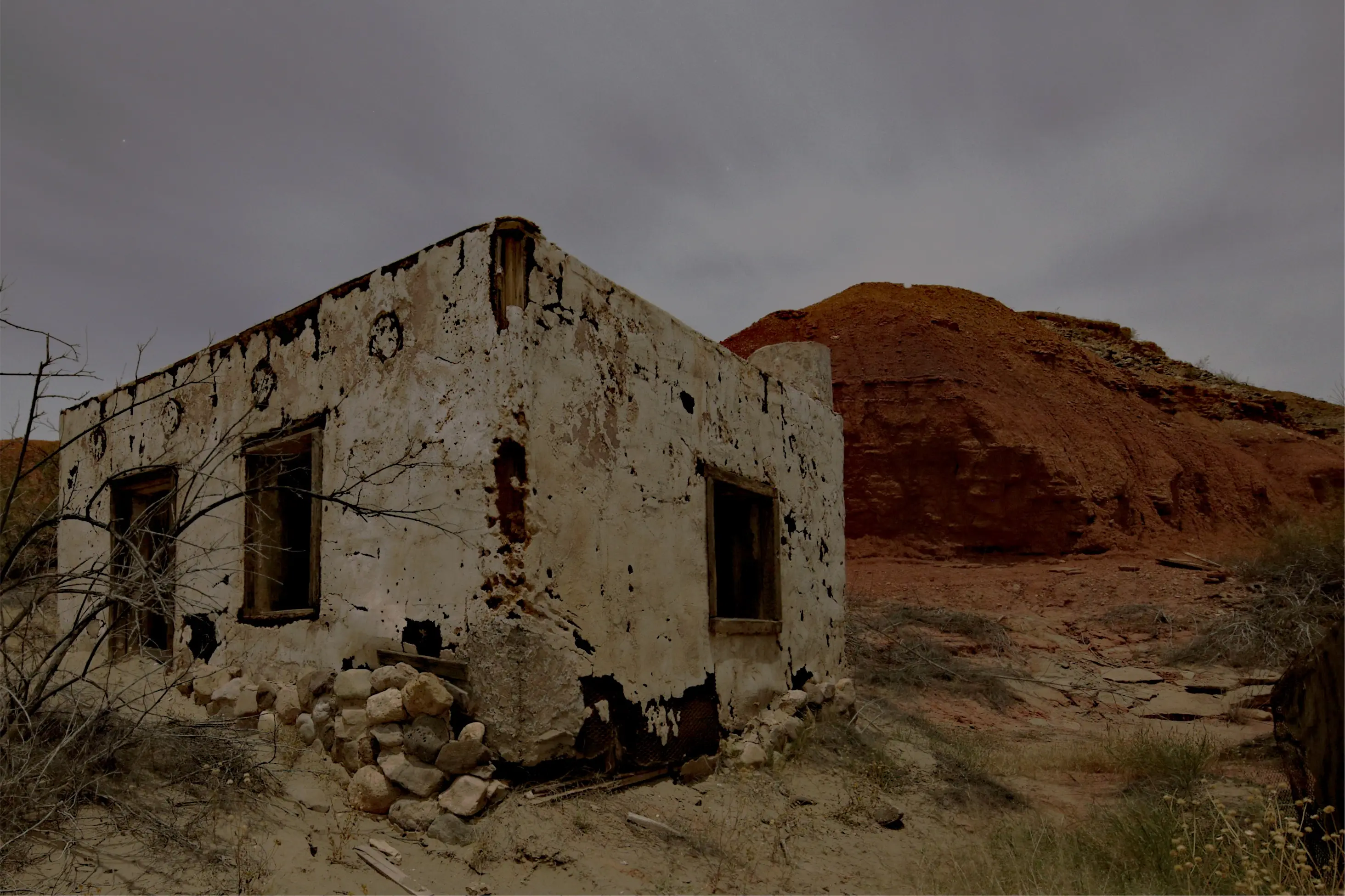
Click the sky, a wall, a window — Alter finds its edges with Segment Anything, running on your Mac, and you adjust just that, or everything but it. This photo has six things hidden in it. Move over it to find them, click one to select it, then try the bricks.
0 of 6 found
These are the selections Alter really made of this photo — the same model, run on a Mac. Here the browser plays them back; in Alter it works on any photo, and the adjustment is a full brick.
The Loupe
Press the backtick. A real loupe, from 50% to 1600%, with the colour values under it and a pixel grid when you get in close. Move your pointer over the photo — on a phone, drag the loupe.
The keys
Alter answers to Aperture’s keys. Try them here, on your keyboard or on the keys below.
Press a key.
Organised your way
Projects inside folders, albums inside projects. Versions under one master. Stacks with a pick. Smart albums by rating, label, camera, lens, ISO or date — and the Keywords HUD with your whole hierarchy.
Click the stack to open it — the pick stays first.
Live, and they update as you rate and keyword.
And then some
Alter didn’t start as an Aperture replacement — it started as a library for describing and publishing photos. So it also has a timeline editor, web layers, AI descriptions for photos and video, accessible web galleries, and posting with ALT text attached. All optional, all in the same library.
The library
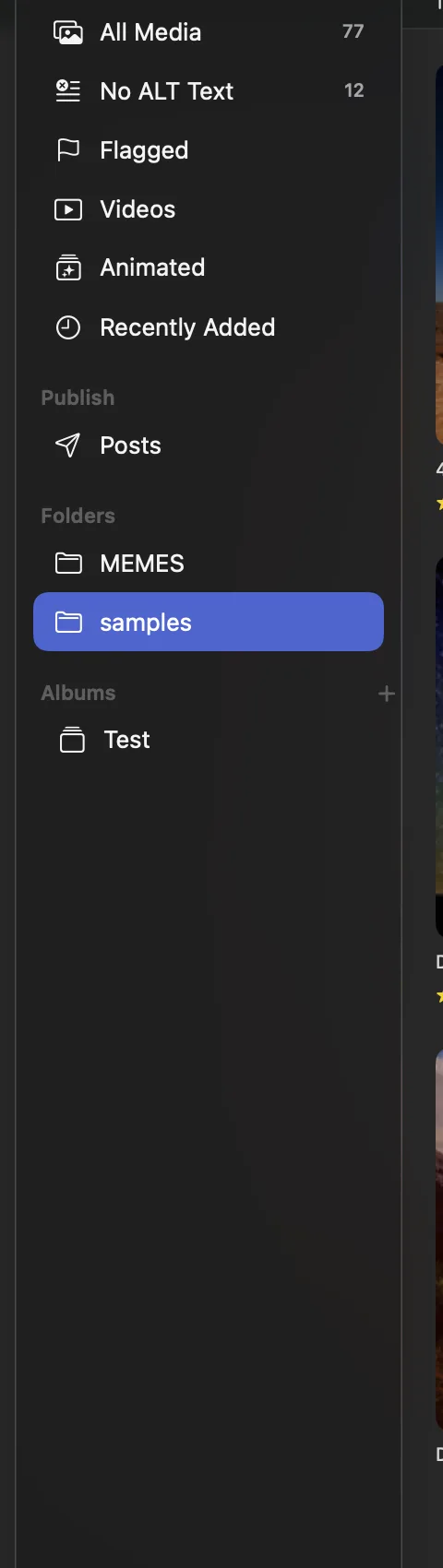
Alter references your originals exactly where they already live — on the internal drive, the big external, the NAS. It builds a catalog around them and leaves the files alone. Nothing is absorbed, nothing is duplicated, nothing is rewritten behind your back.
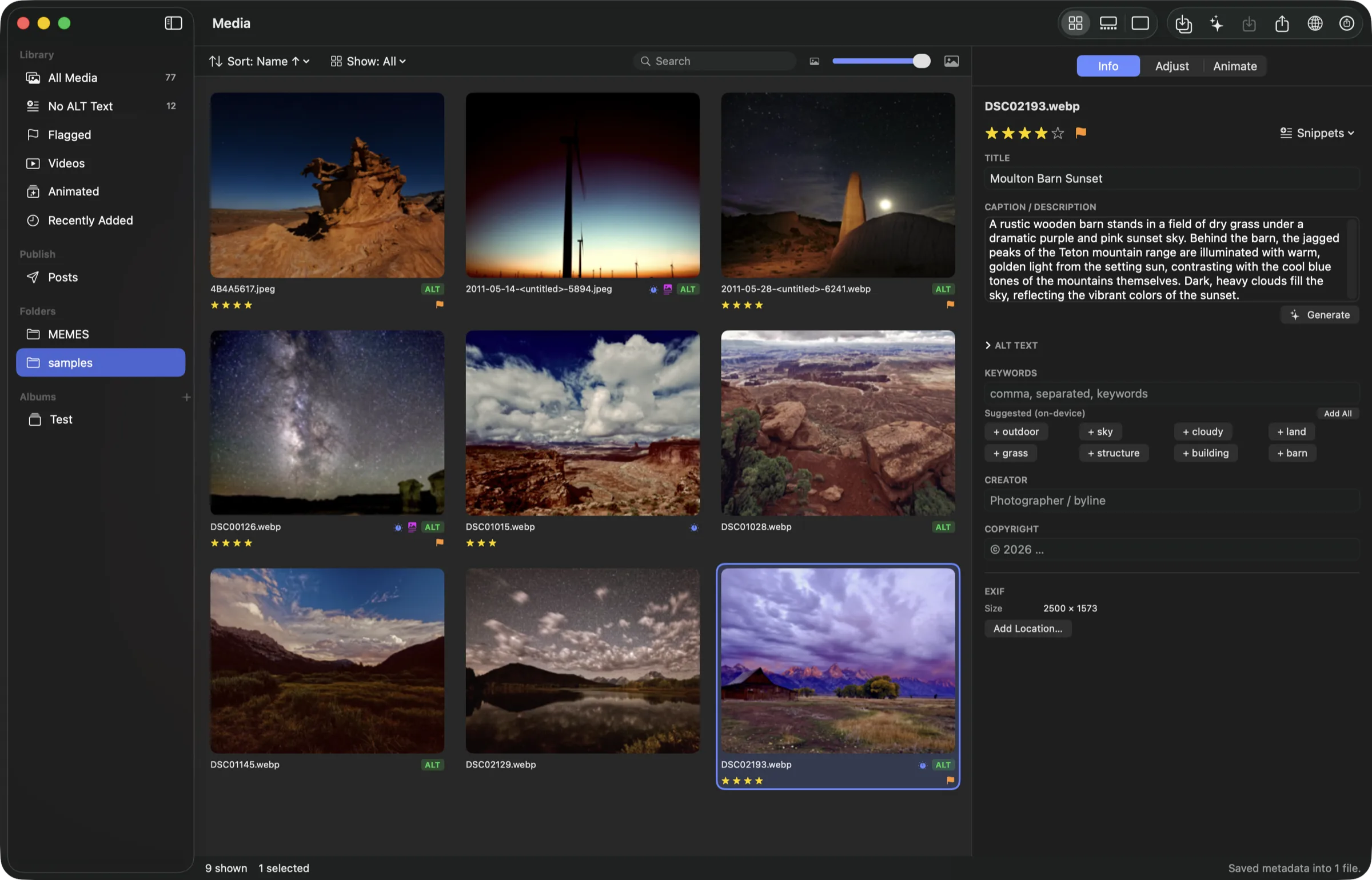
A library is a single .alterlib bundle holding a SQLite catalog of absolute paths. Move Alter to another Mac and point it back at your drives and everything reconnects. There is no proprietary vault to escape from later.
The one and only operation that touches an original is Move File to Trash, and it asks first. Remove from Library just un-indexes. If a drive comes back on a different mount point, Locate / Relink Folder rewrites the path prefix for every photo underneath it in one pass.
Import files or whole folders with ⌘I, drag them onto the window, or pull straight from your Photos library with ⇧⌘I. Folder imports recurse and skip hidden files. Everything you just brought in arrives selected, and the grid scrolls to reveal it.
The Photos import runs through the system picker, so Alter never asks for blanket access to your Photos library. You choose the photos, Alter asks where to put them, and from that moment they are referenced like anything else.
Originals parked in iCloud come down automatically. Alter detects a dataless placeholder and materializes it before it builds a thumbnail, describes it, exports it, or renders it into a gallery — you never get a mystery failure on an evicted file.
Stars ⌥⌘0–⌥⌘5, flags ⌘', applied across a whole selection. Ratings and flags live in the catalog, so a fast pass over a shoot never rewrites a single file.
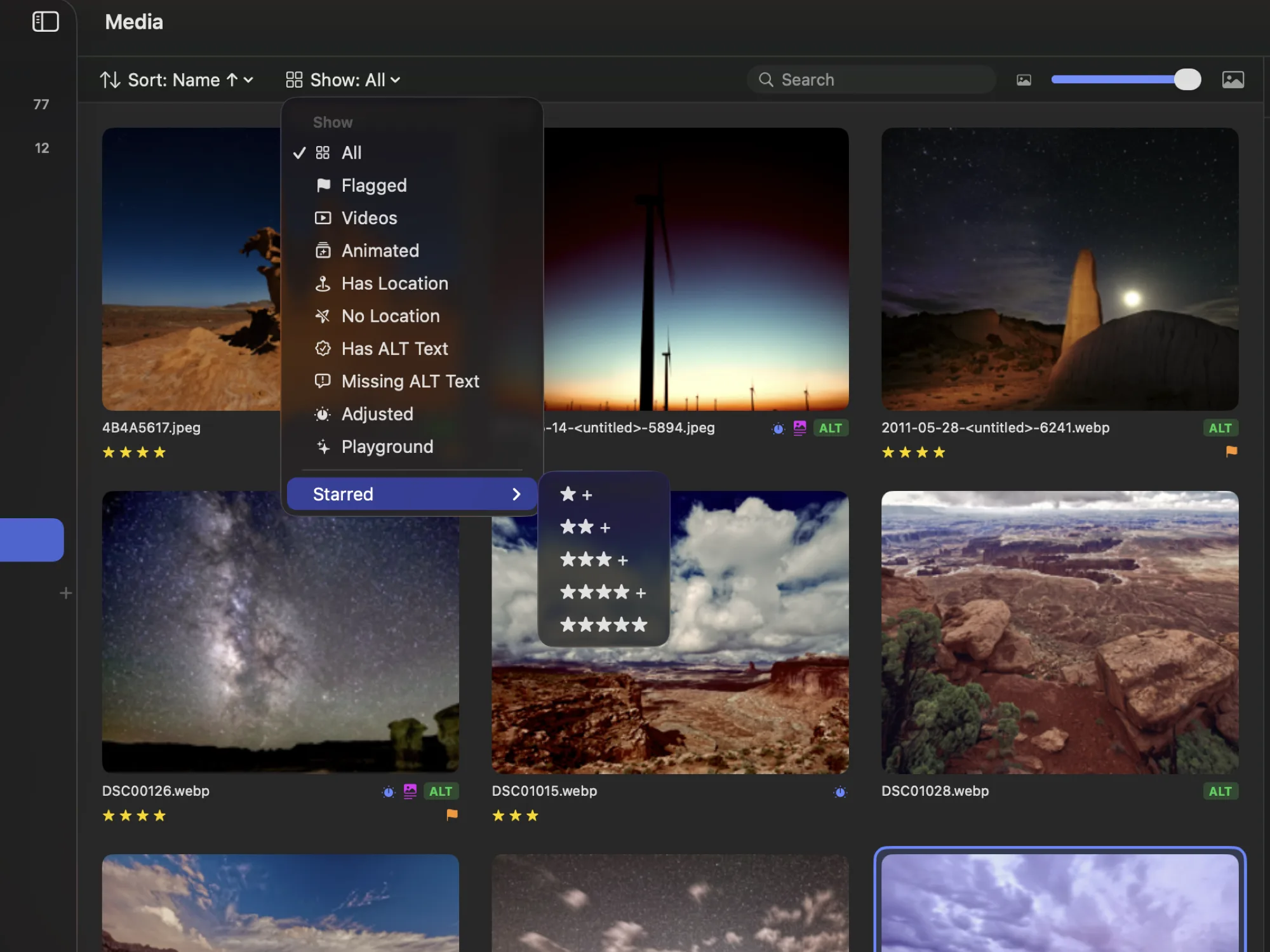
Filter the grid to Starred at any threshold, Flagged, Videos, Animated, Adjusted, Has Location or No Location — and, because this is Alter, Has ALT Text and Missing ALT Text. That last one is the whole workflow in a single click.
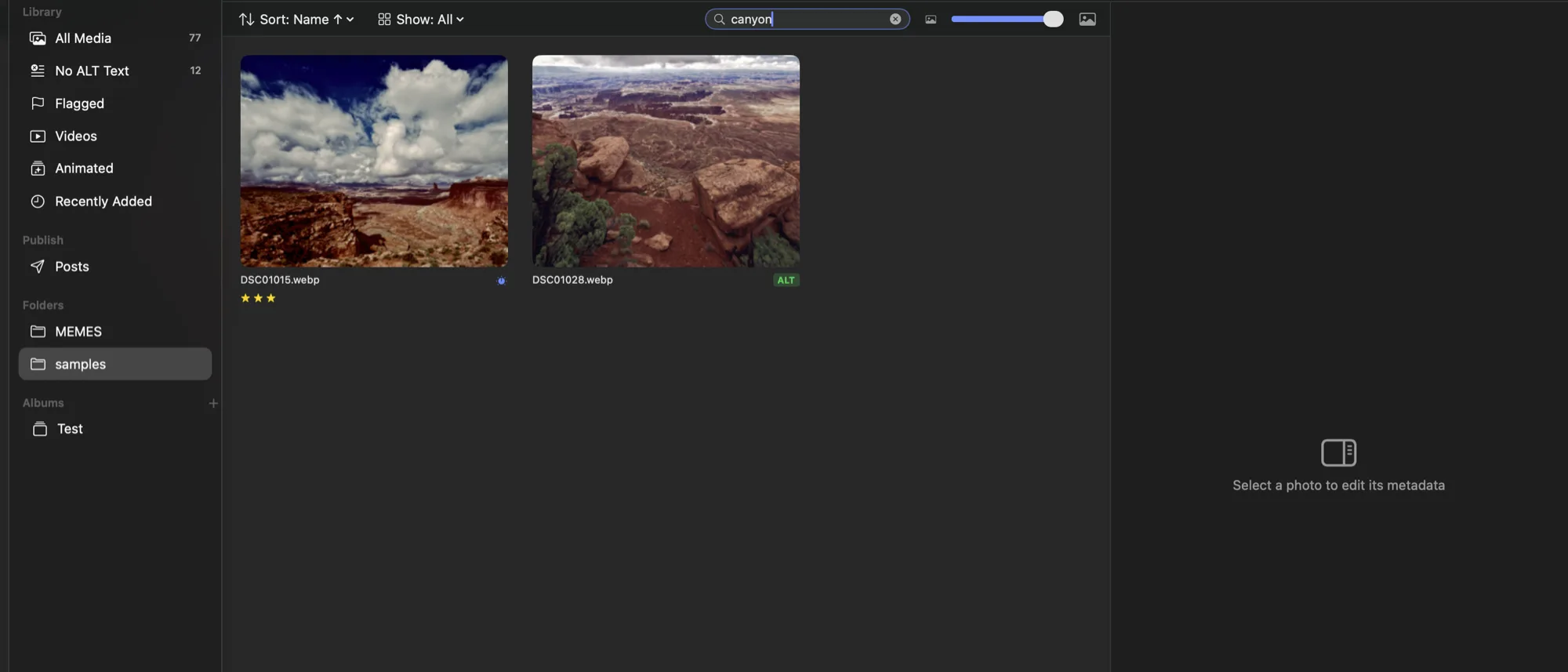
And search. ⌘F jumps to the search field, and it reads everything a person might remember about a photo: filename, title, caption, keywords, ALT text, creator. Type two words and both must match. Search composes with the filters — Missing ALT Text plus a search term is exactly the triage view you want.
Sort by Name, Date Imported, File Date, or Rating, ascending or descending. Your choice persists, along with window size, column widths, filmstrip height, and thumbnail size.
Six fields — ALT text, Title, Caption, Keywords, Creator, Copyright — written to the standards that actually get read. ALT text goes to XMP-iptcCore:AltTextAccessibility. Title writes both XMP-dc:Title and IPTC:ObjectName. Caption writes XMP-dc:Description and IPTC:Caption-Abstract. UTF-8 throughout.
Edits cache to the catalog the instant you make them and write to disk 2.5 seconds after you stop typing. Prefer to control it yourself? Switch to manual in Settings and ⌘S flushes every pending change library-wide. An orange dot on a cell means "not written yet."
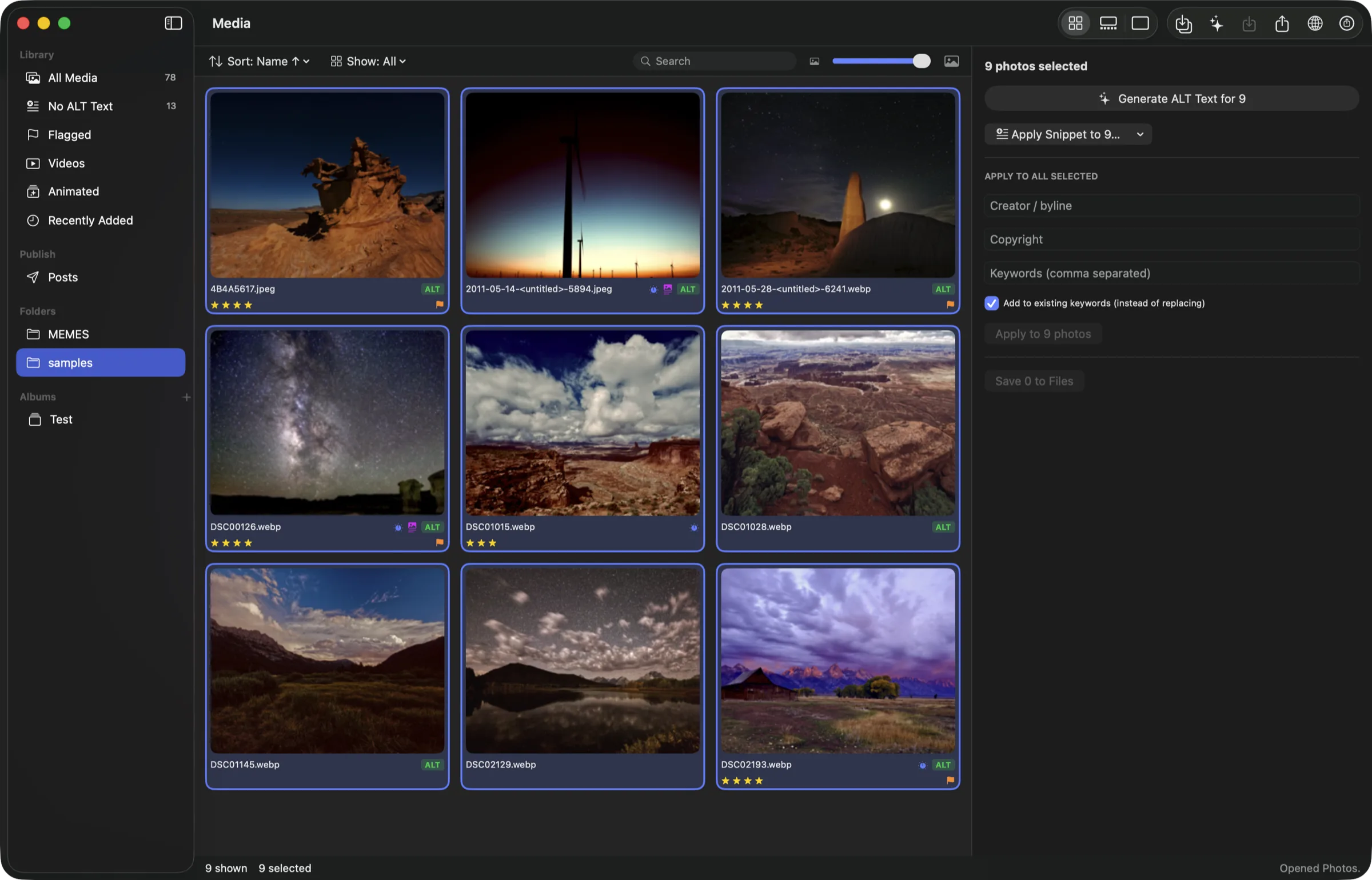
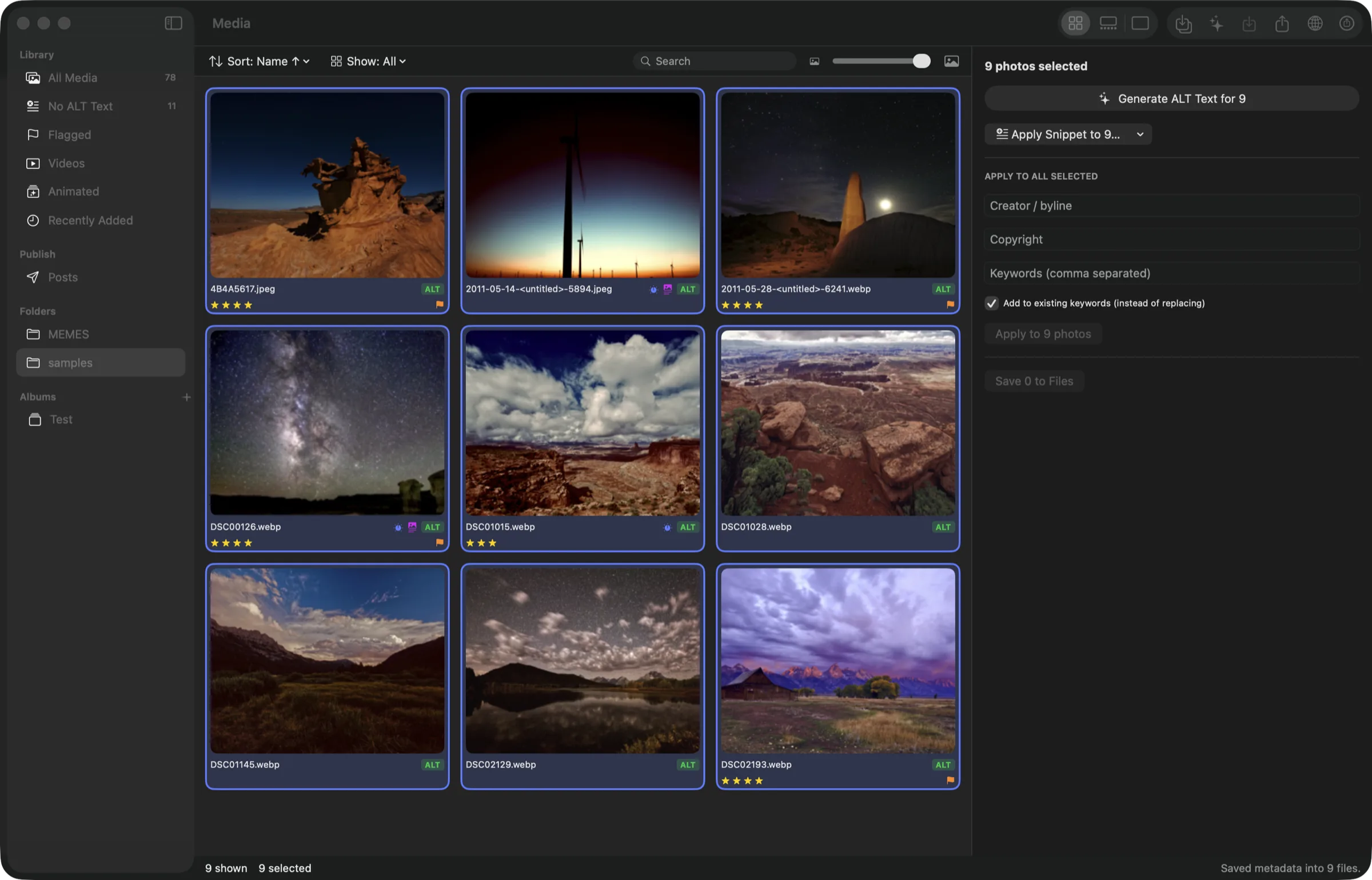
Select many photos and set Creator, Copyright, or Keywords across all of them at once — with an add to existing keywords toggle so a batch pass builds up instead of flattening what is already there.
Adjust
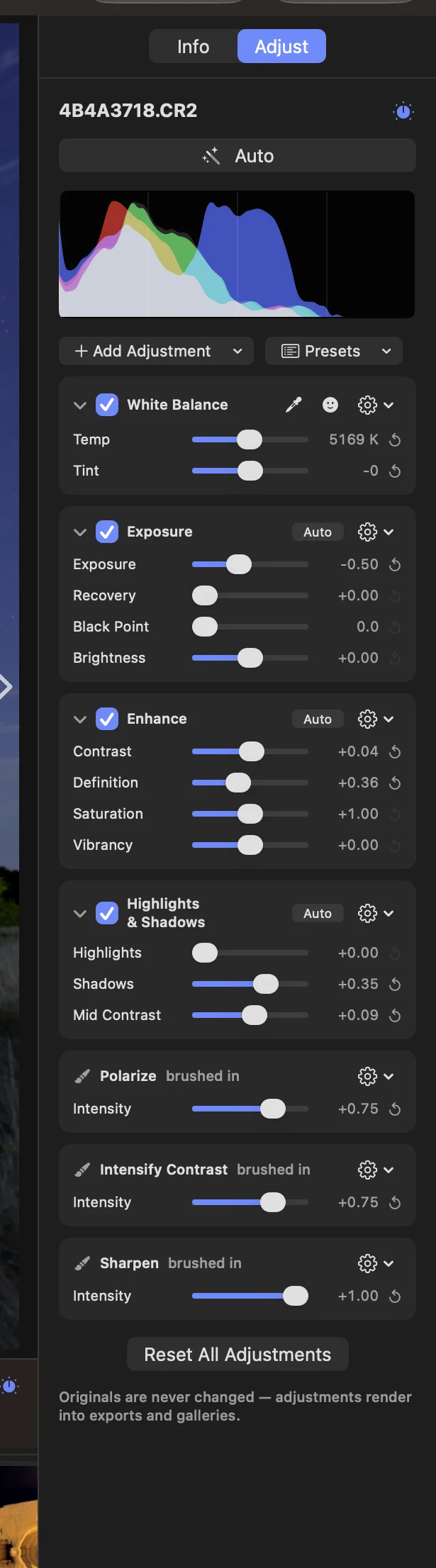
Every adjustment is a recipe stored beside the photo, never baked into it. Bricks stack in Aperture’s order, and the grid, the filmstrip, the viewer and the histogram all repaint live as you drag. Your original file is byte-for-byte untouched at the end of it.
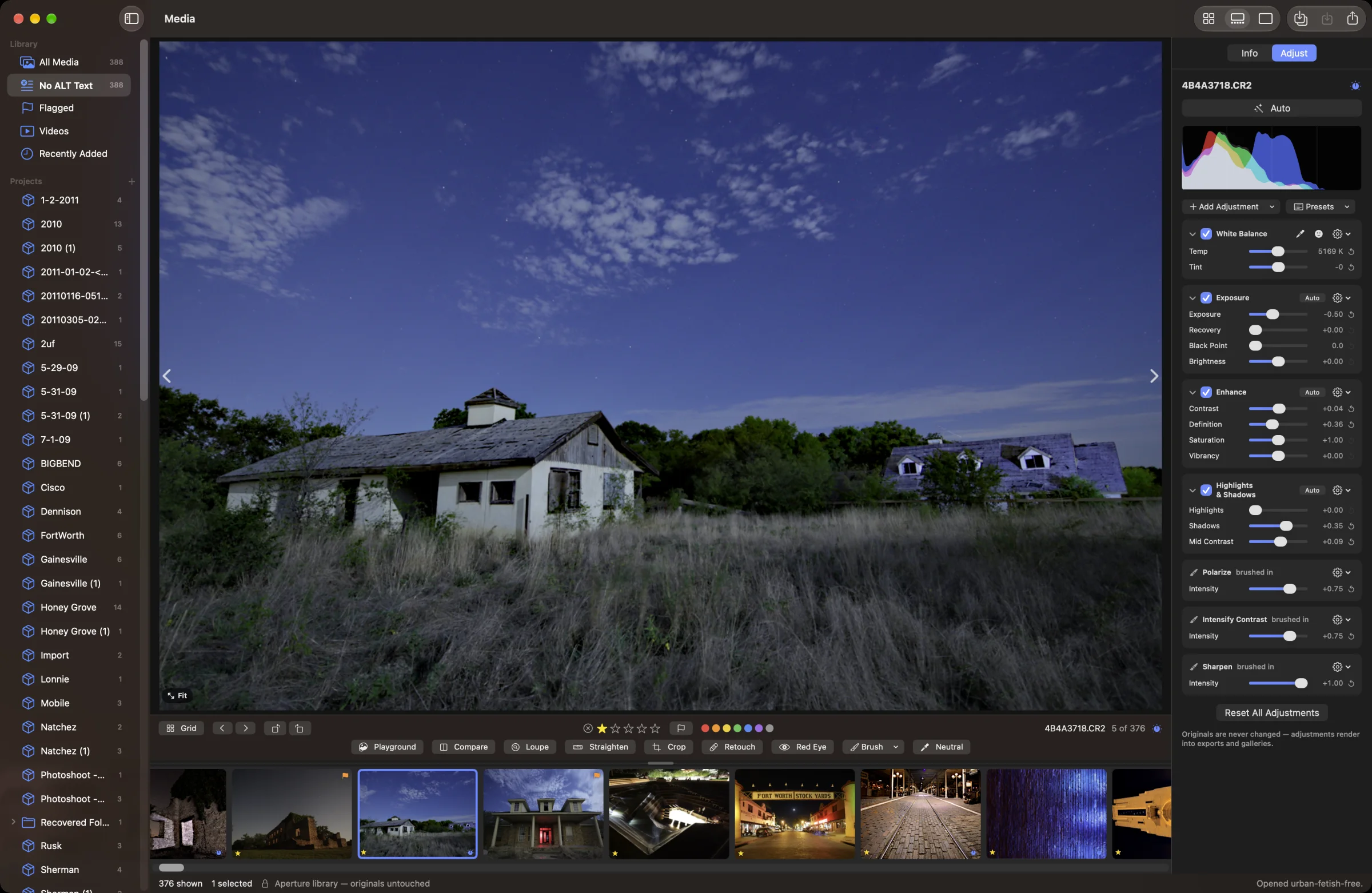
Every photo starts with Aperture’s four: White Balance, Exposure, Enhance and Highlights & Shadows. Add Adjustment brings in the rest — Levels, Curves, Color, Black & White, Color Monochrome, Sepia Tone, Sharpen, Edge Sharpen, Noise Reduction, Vignette, Devignette, Chromatic Aberration, Polarize and Intensify Contrast.
Each brick has a checkbox, a gear and a reset arrow. Untick it to see the photo without that adjustment — the settings wait for you. Every slider carries a number you can drag, and a double-click puts it back. The gear brushes the brick in or away, resets it, or removes it.
Levels puts black, grey and white handles under the histogram and output handles above it, for RGB or any single channel. Curves draws over the same histogram: click to add a point, drag to shape it, drag it off the plot to remove it. Both have an Auto button and eyedroppers for the black, grey and white points.
Color works the way Aperture’s did: six hue swatches — reds, yellows, greens, cyans, blues and magentas — each with its own hue, saturation, luminance and range.
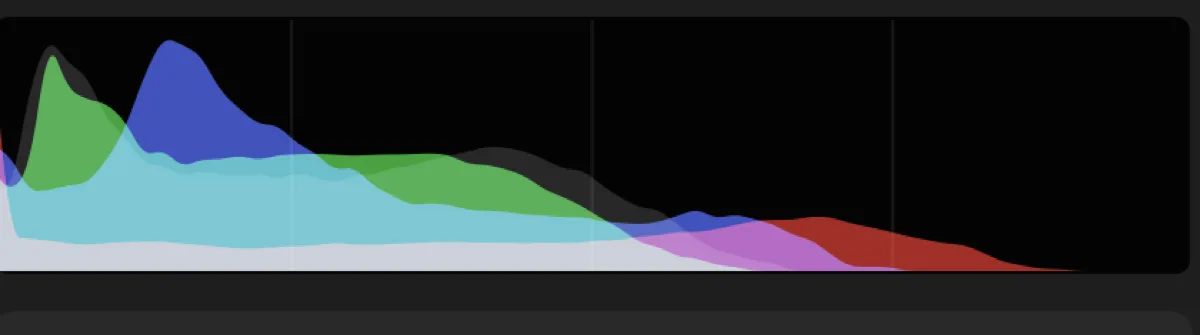
Sixty-four bins per channel, red green and blue screen-blended over a faint luminance base. Counts are square-rooted so a single blown spike does not flatten everything else into a flat line — the shape of your midtones stays legible.
It reads the adjusted image, not the original, and recomputes on every slider move. Turn on Highlight Hot & Cold Areas (⌥⇧H) and the viewer paints blown highlights red and crushed shadows blue.
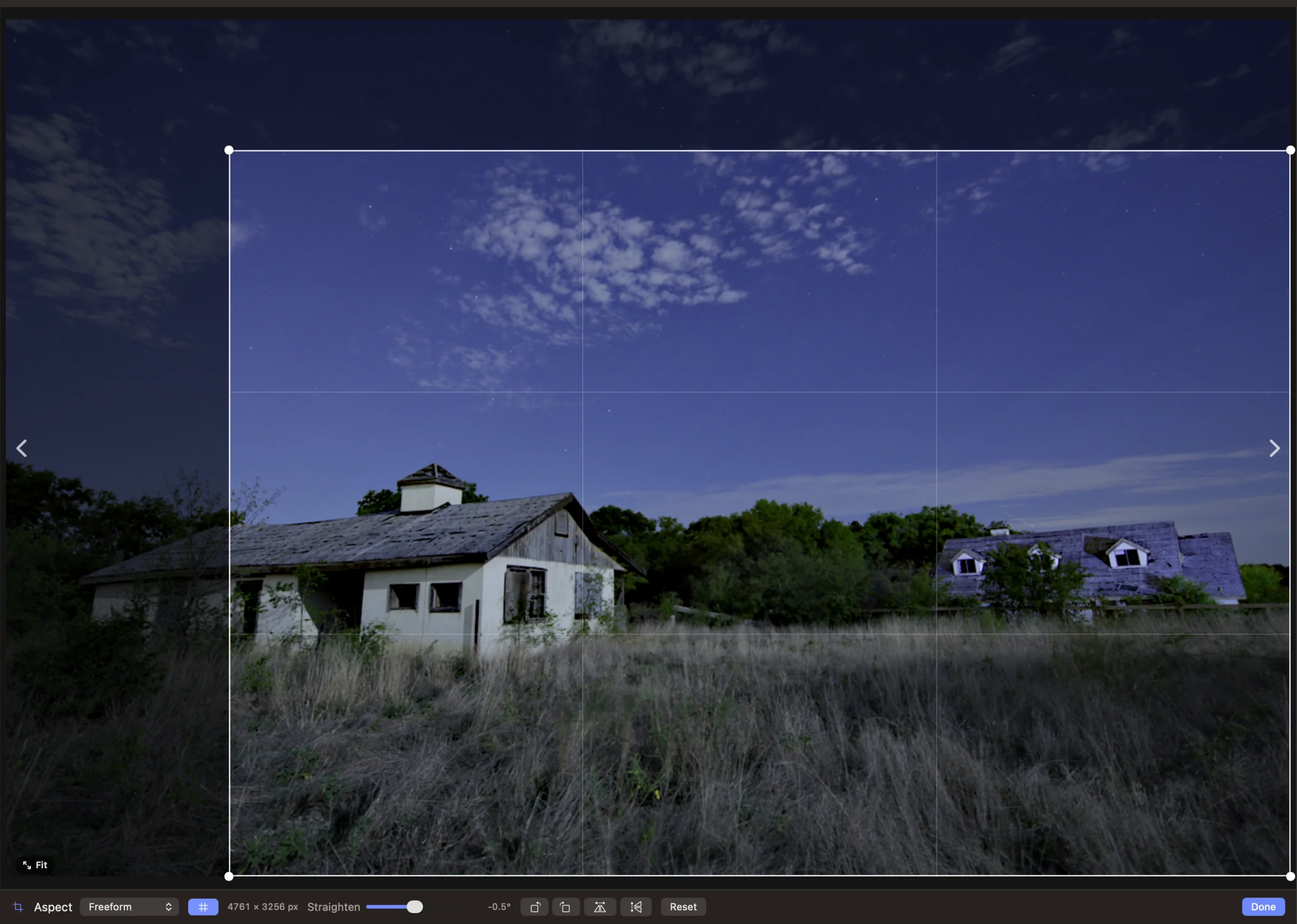
Press C and the frame becomes the control: pull a corner to resize, drag inside to move, drag outside to draw a new crop, with thirds guides and a live pixel readout. While you crop, the whole uncropped frame stays in view, so you can always grow it back out.
Lock it to the master’s own aspect, Square, 2:3, 3:2, 3:4, 4:3, 4:5, 5:4, 9:16, 16:9 or any ratio you type — or leave it freeform. Press G to straighten by dragging around the photo’s centre over a level grid, up to 15° either way; the frame scales to cover as it turns, so there are never blank corners. Rotate in 90° steps with ⌘[ and ⌘], and flip horizontally or vertically.
It is all recipe, like everything else. The crop shows up in exports and galleries; the original file keeps every pixel you cropped away, and Reset brings them back.
Press X and click a blemish. Repair takes a clean patch from beside the spot, away from the nearer edge of the frame; Clone copies from a source you ⌥-click. Set the radius, softness and opacity, undo the last spot, or clear them all.
Press E for Red Eye and click each pupil. Alter takes the red out only where red clearly dominates and keeps the pupil’s own brightness, so eyes still look like eyes.
Spots are recipe like everything else. They render into exports and galleries, and they come off again whenever you want.
Any brick can be painted. Choose Brush In or Brush Away from its gear and paint where the adjustment should — or shouldn’t — apply. Size, softness and strength sit on the brush bar along with Erase, and overlays show your strokes in colour, on black or on white.
Or reach for a Quick Brush: Skin Smoothing, Dodge, Burn, Polarize, Intensify Contrast, Saturate, Desaturate, Sharpen, Blur, Noise Reduction, Definition, Vibrancy and Contrast. A photo can carry as many brushed adjustments as it needs, each with its own strokes, and every one stays editable.
Press ` — or L — and a loupe floats over the photo showing its full-resolution pixels, with your recipe applied. Check critical focus and grain without zooming the whole view.
Zoom it from 50% to 1600% by scrolling, or with ⇧⌘+ and ⇧⌘−. Let it follow the pointer on a tether, or switch to Focus on Loupe and drag the glass where you want it. Size it by dragging the rim, turn on colour values for the RGB under the crosshair, and a pixel grid appears from 800%. It remembers how you left it.
The Neutral eyedropper on the White Balance brick solves white balance in one click. Point it at anything that ought to be grey — a concrete wall, a white shirt in shade — and Alter sets Temp and Tint so that spot reads neutral, solved against the real colour engine rather than guessed. Switch to Skin Tone and click a face instead. ⌘Z puts it right back.
Press M to see the master in place, exactly as shot, and again to come back to your edit. Press ⌥M and the viewer splits: the original on one side, the edited photo on the other, each badged, side by side or stacked.
For a photo from an Aperture library, the original side can switch to Aperture — Aperture’s own render of your edit, from the preview it saved — so you can check Alter’s work against the real thing.
Auto buttons sit on the Exposure, Enhance, Highlights & Shadows, Levels and Curves bricks. Auto-Enhance (⌥⌘A) looks at the whole photo and sets a baseline exposure, contrast and vibrance — conservatively: within ±1.25 EV, adding contrast only when the image is flat, and vibrance only when there is muted colour to recover.
The Presets menu has fourteen built-ins — Auto Levels, Brighten, Darken, Punch, Soft, Warm, Cool, Vivid, Faded Film, Black & White, High Contrast B&W, Sepia, Vignette and Toy Camera — and Save as Preset keeps your own. A preset changes only the bricks it carries; your crop, retouching and brushes stay put.
Lift & Stamp (O) copies a photo’s adjustments — and, if you like, its crop, retouching, keywords, rating, label, flag and captions — onto a whole selection. ⇧⌘C lifts and ⇧⌘V stamps.
The timeline editor
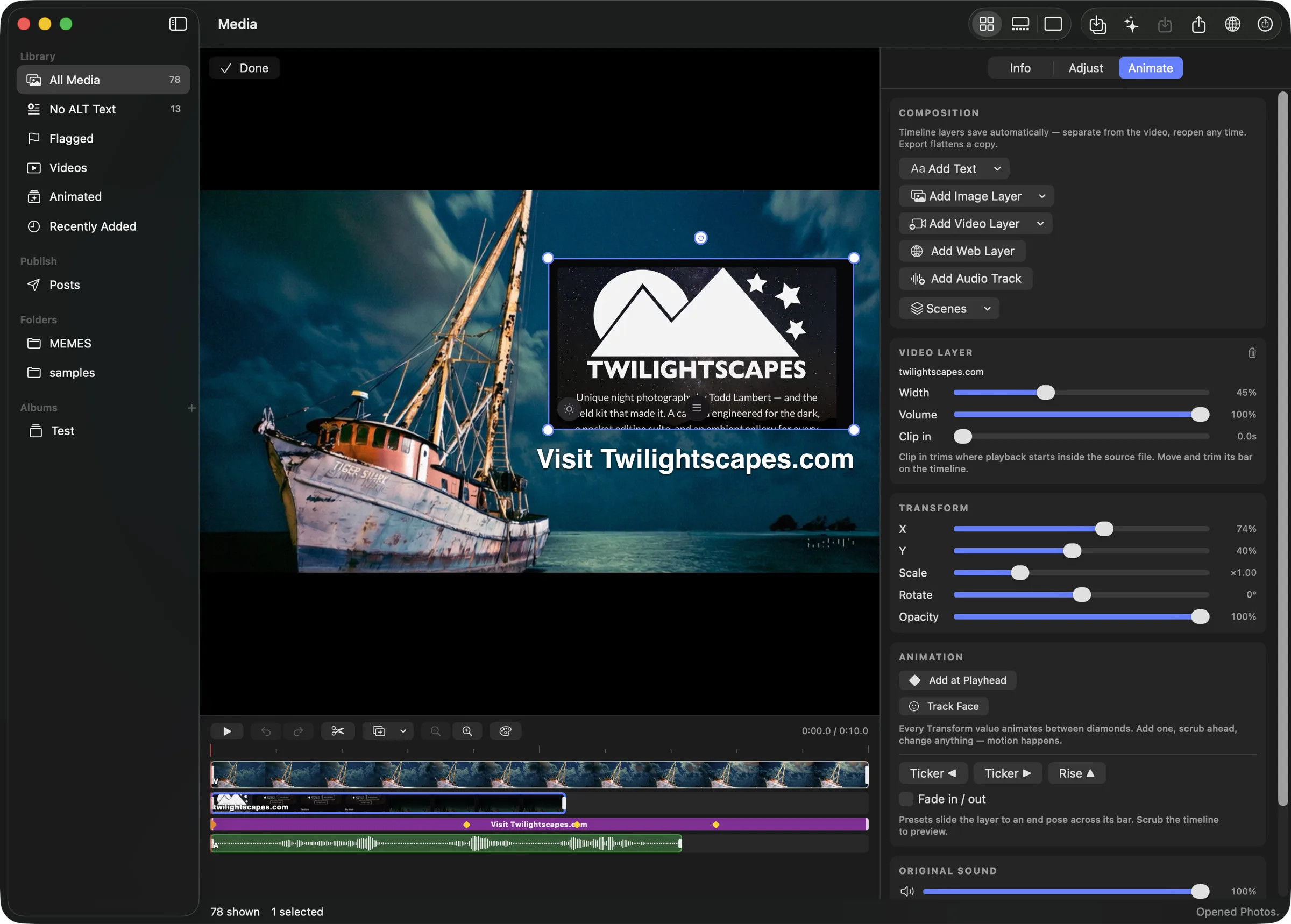
Cut clips from any number of videos into one sequence. Layer text, images, other videos, and audio over the top. Keyframe anything, ease it properly, and grade it — all against a preview that is assembled by the exact same code that writes the final file.
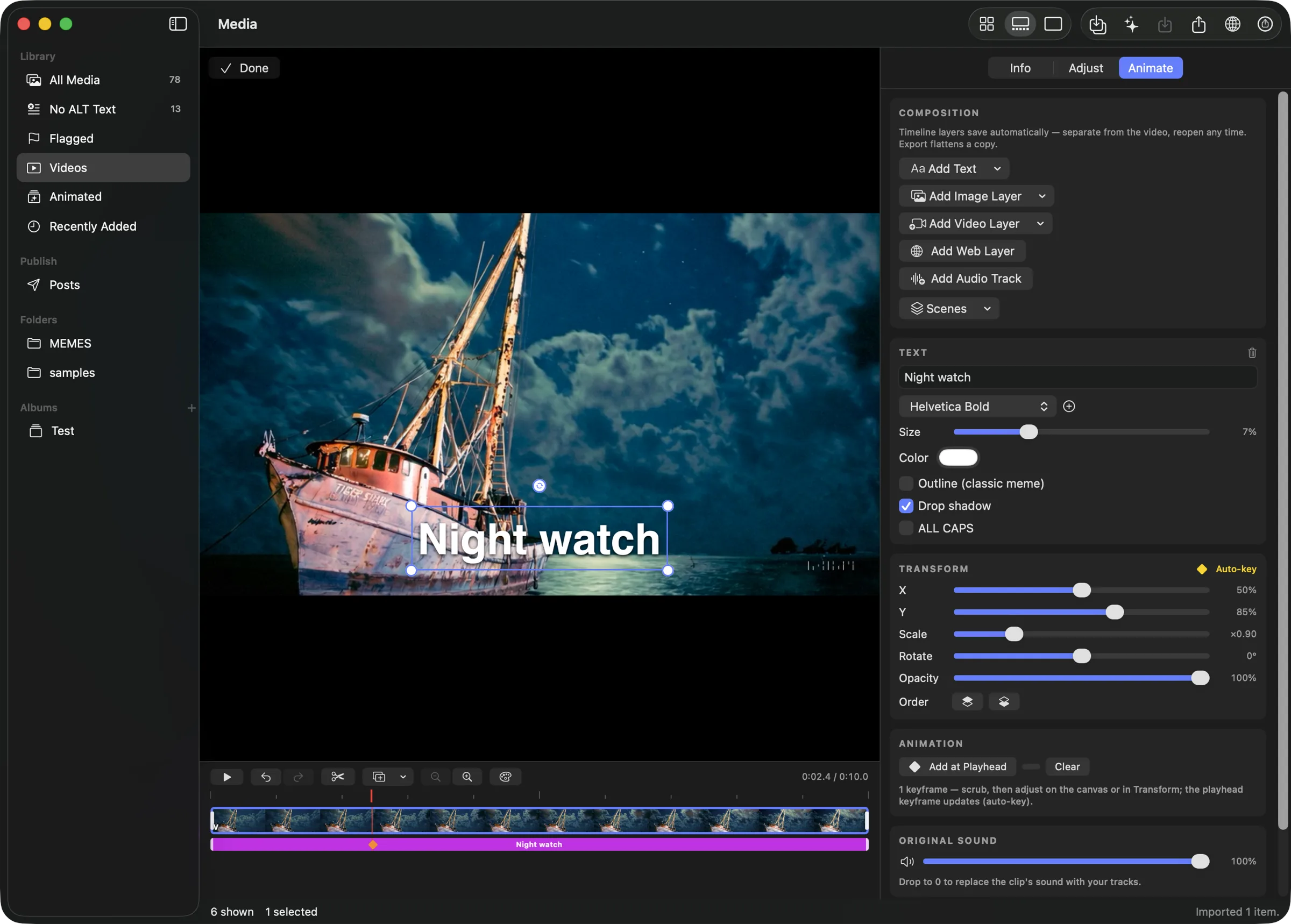
Add clips from files or straight from your library selection. They land on the sequence track with generated filmstrips so you can see what you are cutting.
Split at the playhead. Drag either edge to trim, clamped to the source's real length so you cannot pull past the end of the footage. Drag a clip's body to reorder. Delete a segment and the gap closes. Multiple source videos live happily in one sequence, and re-adding the base clip to duplicate a moment is perfectly legal.
Animated GIFs are clips too. Open one in Animate and it lands on the timeline as real footage — its own frame timing intact — ready to cut, caption, and export like any video. The original GIF is never touched.
Zoom from fit to 24× with ⌥-scroll anywhere over the timeline, centered on the playhead. A plain scroll pans sideways. During a drag the scale freezes, so trimming one clip never yanks the ruler out from under your cursor.


Text — any bundled font, sized as a fraction of the frame so it scales with the output, with fill color, classic meme outline, drop shadow, and ALL CAPS toggles.
Image — from a file or straight from the photos you have selected in the library, which is how a photo becomes a sticker.
Video — picture-in-picture, with its own volume and a clip in control that sets where playback starts inside the source.
Audio — MP3, WAV, M4A, each track with its own volume. The base clip keeps its own Original Sound dial; drop it to zero to replace the soundtrack entirely.
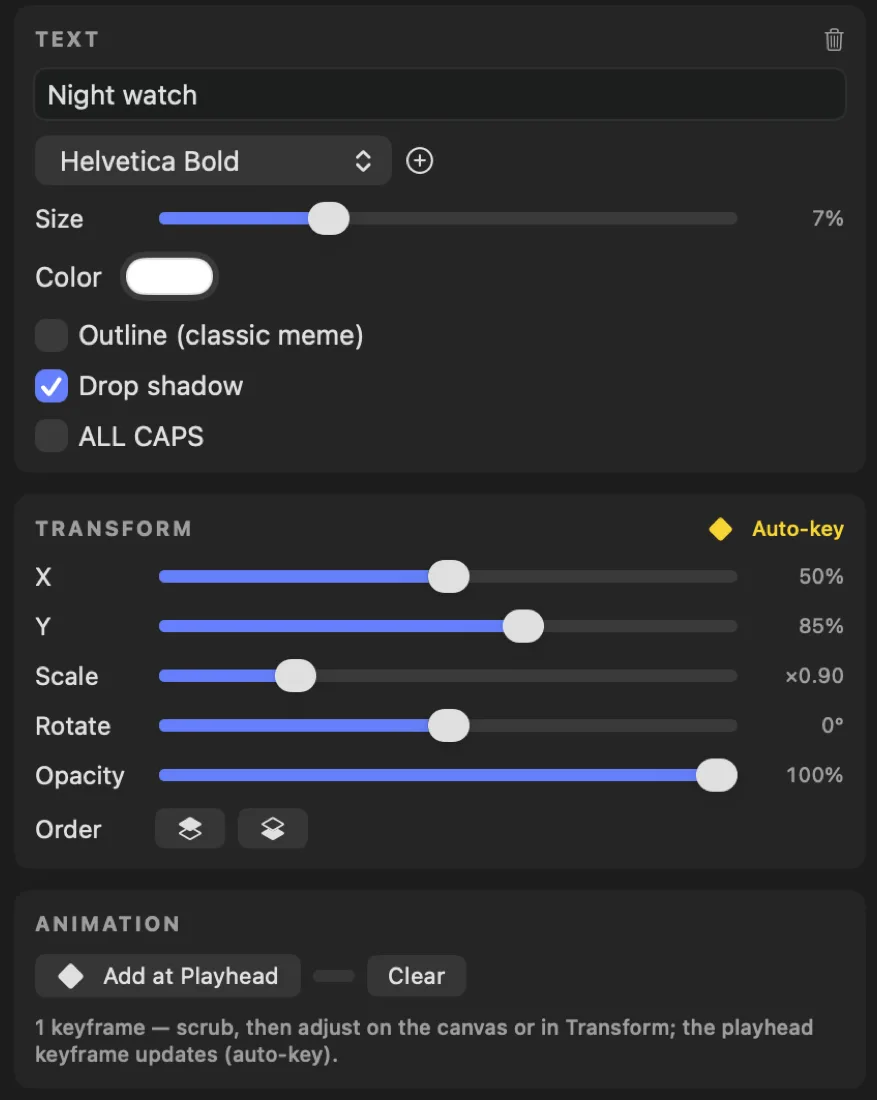
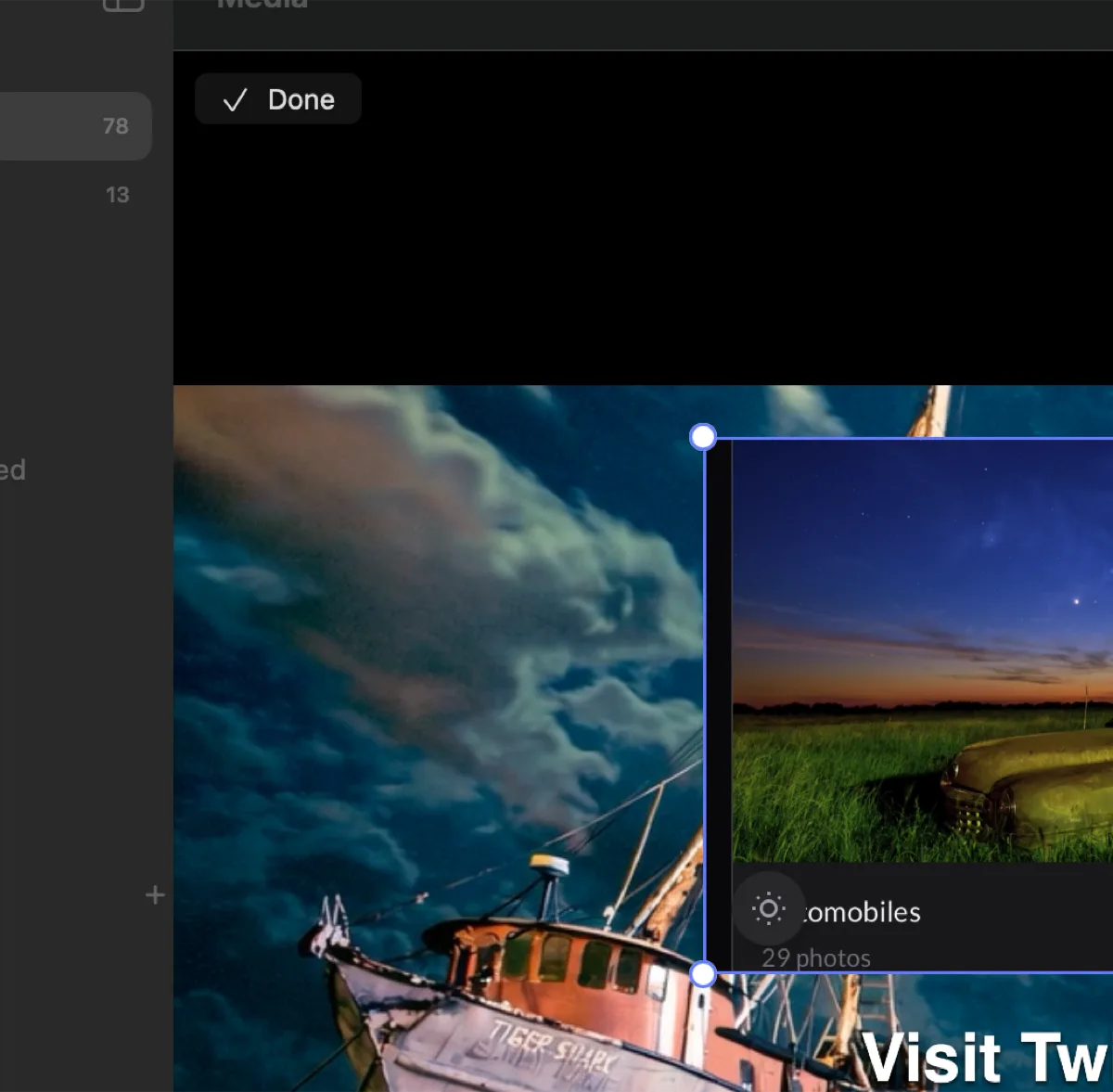
Drag a layer to move it. Corner circles scale radially — pull away to grow, push toward the center to shrink, and it stays correct from any corner at any rotation. A knob above the selection rotates it.
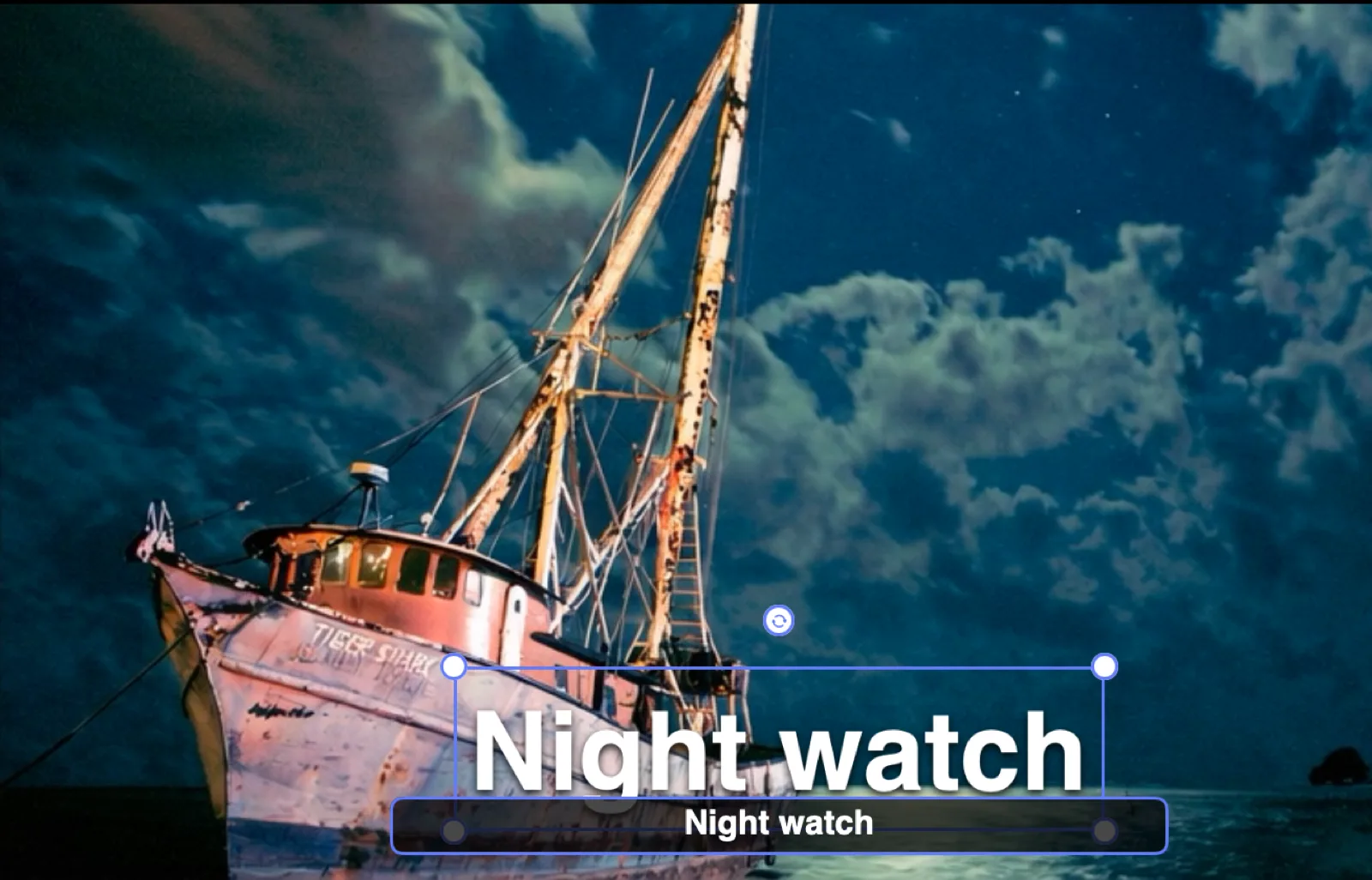
Double-click a text layer and type in place. A dark input chip appears below in the layer's own font while the fully styled text above updates on every keystroke. Return commits, ⌥Return makes a new line.
Drag a layer off the edge and it renders at 45% with a dashed border and tells you the truth: off canvas — visible here, not in renders.
Position, scale, rotation, and opacity, keyed at any point on the timeline. Diamonds sit on the layer's bar, grow and turn orange at the playhead, jump the playhead when tapped, and drag to retime. Hover one for a summary of everything it holds.
Four curves per segment — Linear, Ease In, Ease Out, Ease In-Out — and the preview evaluates the same curve the exporter renders. What you scrub is what you get.
Auto-key means the controls never go dead. Adjust a keyframed layer and Alter writes or updates the keyframe at the playhead; adjust an un-keyframed one and it edits the base pose. Scrub-and-tweak updates the existing diamond instead of stacking new ones on top of it.
Not ready for keyframes yet? One-click motion presets — Ticker ◀, Ticker ▶, Rise ▲ — plus a fade in/out toggle. They step aside the moment you place a diamond, because from then on the diamonds own the motion.

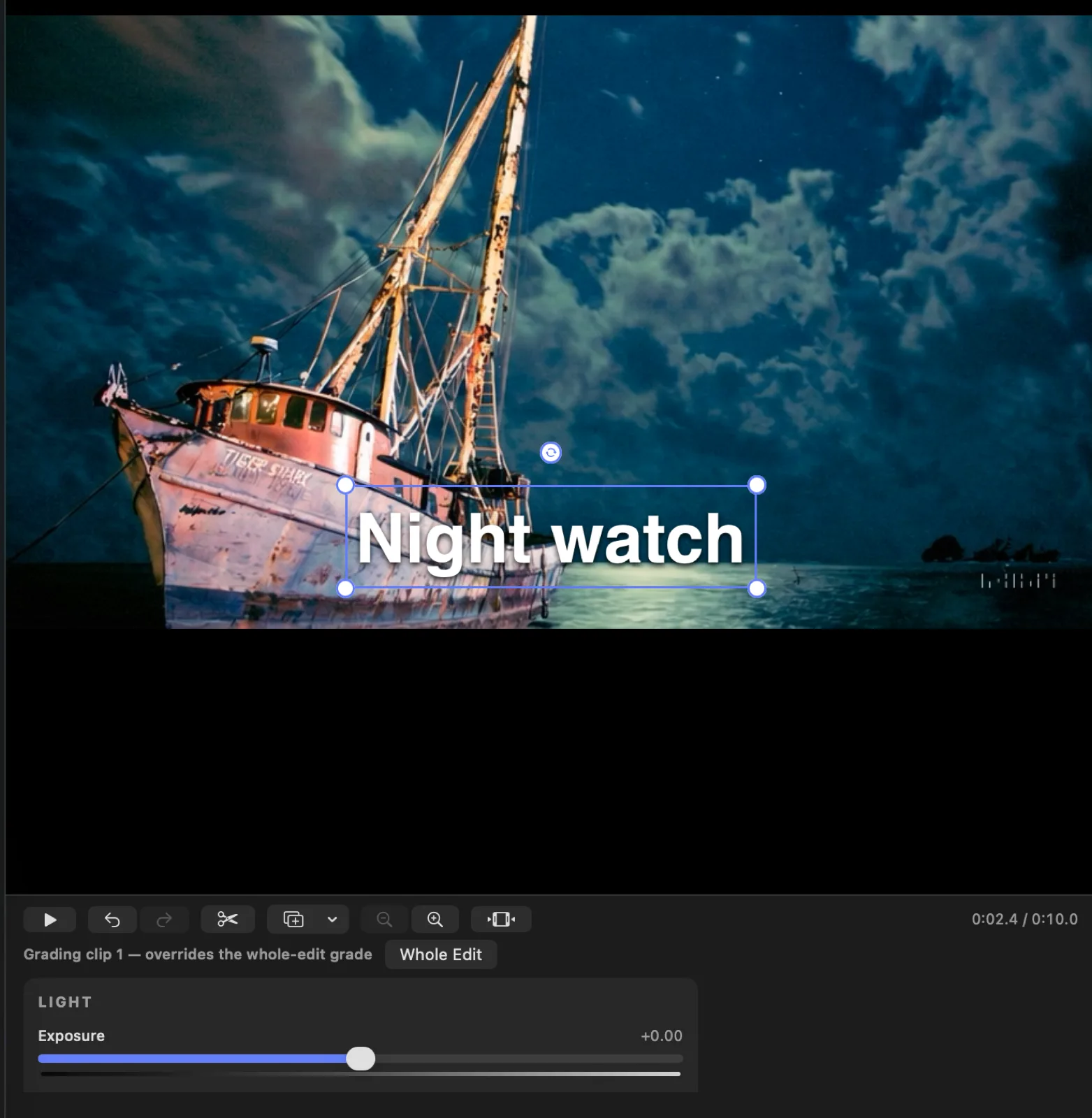
Hit the palette and the timeline swaps for a grading bench carrying the same controls you use on photos — the same sliders, the same gradient tracks, the same feel.
Select a clip and you grade that clip. Select nothing and you grade the whole edit. A per-clip grade overrides the global one, so you can match a shot that was lit differently without unpicking the look you set for everything else.
Put a sticker on someone at the playhead and press Track Face. One pass over the footage writes keyframes that follow the face nearest that layer — the starting position is the seed, so it locks onto the right person instead of hopping between everyone in frame.
The offset scales with the face, so a sticker stays anchored as your subject walks toward the camera or away from it.
Save a whole stack of layers by name and drop it onto anything. Scenes append rather than replace, so they stack, and they rescale their own timing to the length of whatever you apply them to — a lower-third built over thirty seconds still sweeps cleanly across a six-second clip.
Cuts and trims never travel with a scene. It carries the look, not your edit.
Video bases export to .mov at highest quality, at the source's own frame rate. Stills can be saved as PNG or JPEG, exported as video, or dropped straight back into your library as a new photo.
Sequence clips, per-clip grades, and video layers all render through the same custom compositor that drives the preview. Text and image overlays ride a Core Animation layer tree with real keyframe animations and matched timing functions. Audio becomes a proper mix with per-track parameters. Preview and export are not two implementations that agree most of the time — they are one.
Web layers
Load any page live inside Alter and capture it — as a still, or as a recording. What comes back is ordinary media. From that point it keyframes, eases, grades, trims, and exports like anything else you shot.
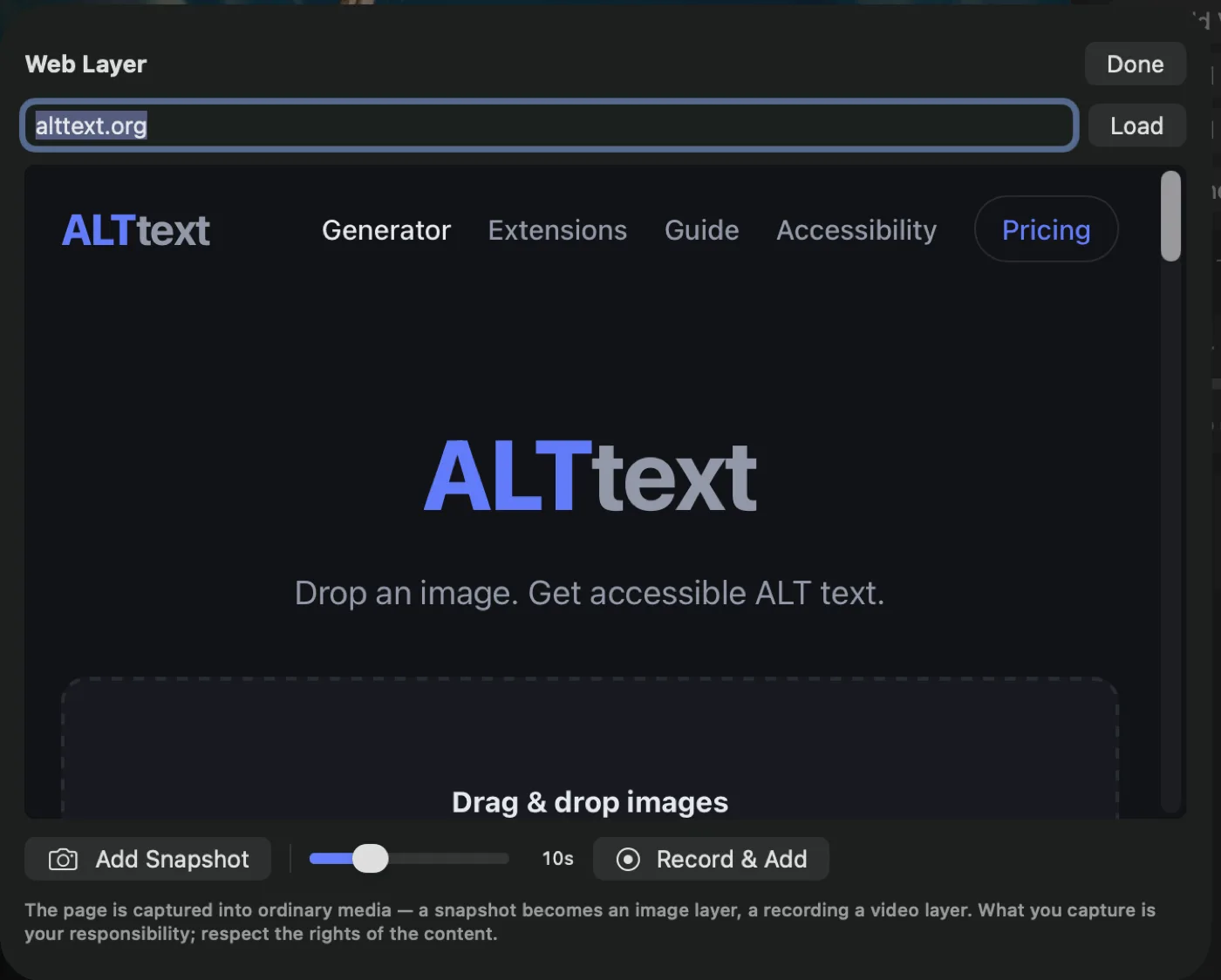
Add Snapshot captures the page as it stands and adds it as an image layer.
Record & Add records the live page — animations running, video playing — for three to thirty seconds and adds it as a video layer starting at the playhead.
Either way the layer names itself after the site, so your timeline reads in plain language instead of web-4f2a91.png.
AI descriptions
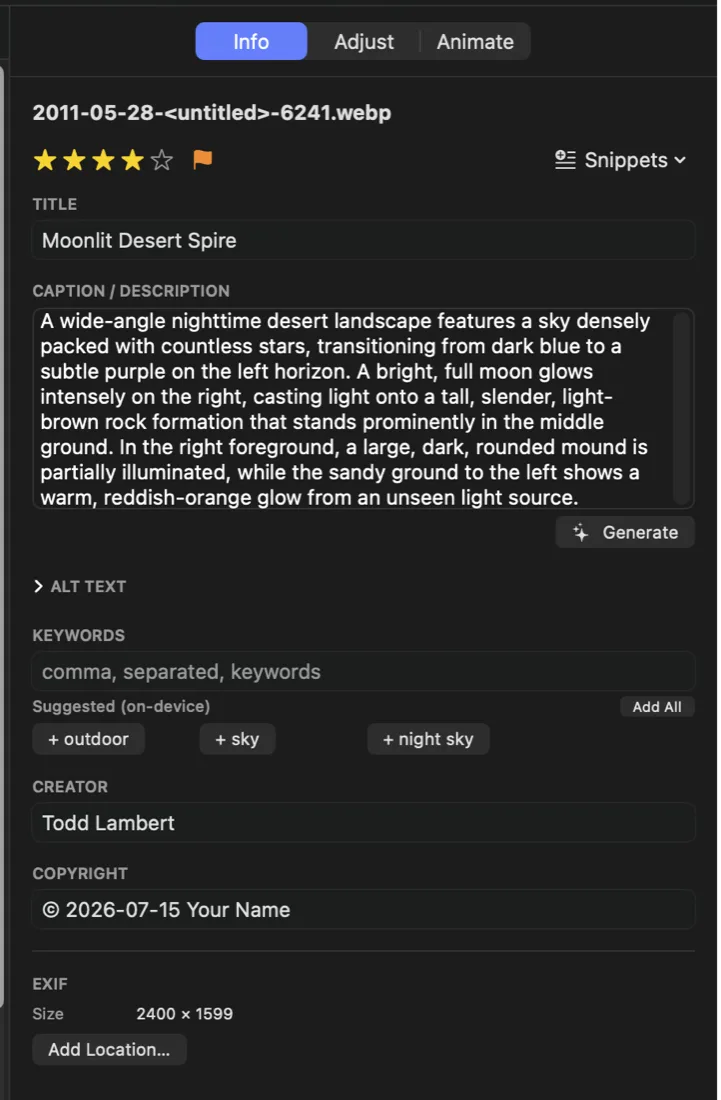
ALT text, a title, and a caption — written by the ALTtext engine and embedded into the file where every screen reader, CMS, and social platform will find them. Video gets described from motion and from what is actually said in it.
Press ⌘G. Alter sends a downscaled rendition — description needs detail, not a 60-megapixel upload — and fills three fields from one request.
ALT text is always written. Title fills only if it is empty. Caption fills if it is empty or if it still matches what Alter generated last time. Regenerate as often as you like: machine-written text updates, and anything you typed yourself is never overwritten.
Describing a video from a single frame is guesswork. Alter samples frames evenly across the clip and, at the same time, transcribes the speech entirely on your Mac. Both go to the engine together, so the description reports what happens and what is said.
No audio ever leaves your machine for transcription. On macOS 26 Alter uses Apple's on-device speech analyzer, downloading the model once on first run. On earlier systems it uses on-device recognition where the hardware supports it.
If transcription fails, Alter says so — described from frames only — speech transcription failed — instead of quietly handing you a thinner description and letting you assume it heard everything.
That same on-device transcript writes .vtt and .srt sidecars next to your video, cued into lines that read comfortably on screen. Upload the video anywhere that accepts subtitles and the file is already sitting beside it.
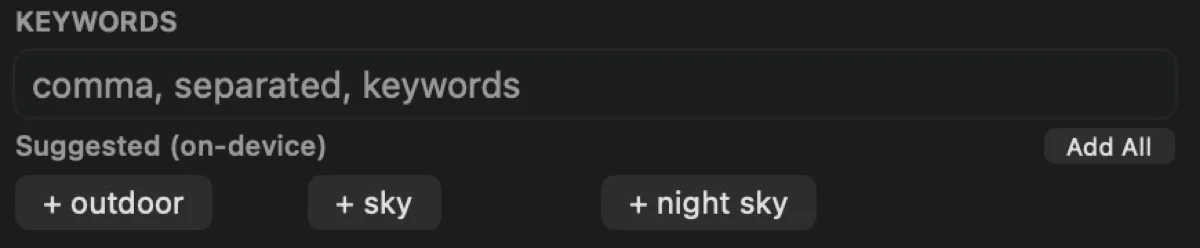
⌥⌘K suggests keywords using Apple's Vision framework, entirely on your Mac and entirely free. Click any suggestion to add it, or add them all. Suggestions already in your keyword list are filtered out.
Select a hundred photos, or filter to Missing ALT Text and select nothing at all, and ⌘G runs the lot. Per-cell status overlays show queued, generating, and failed. A rate limit stops the run cleanly and resets what was queued rather than hammering away at it.
Publish
Accessible web galleries to your own hosting. Bluesky posts where every image carries its ALT text automatically. Your Apple TV, subscribed to your own gallery. Nothing here holds your audience on someone else's platform.
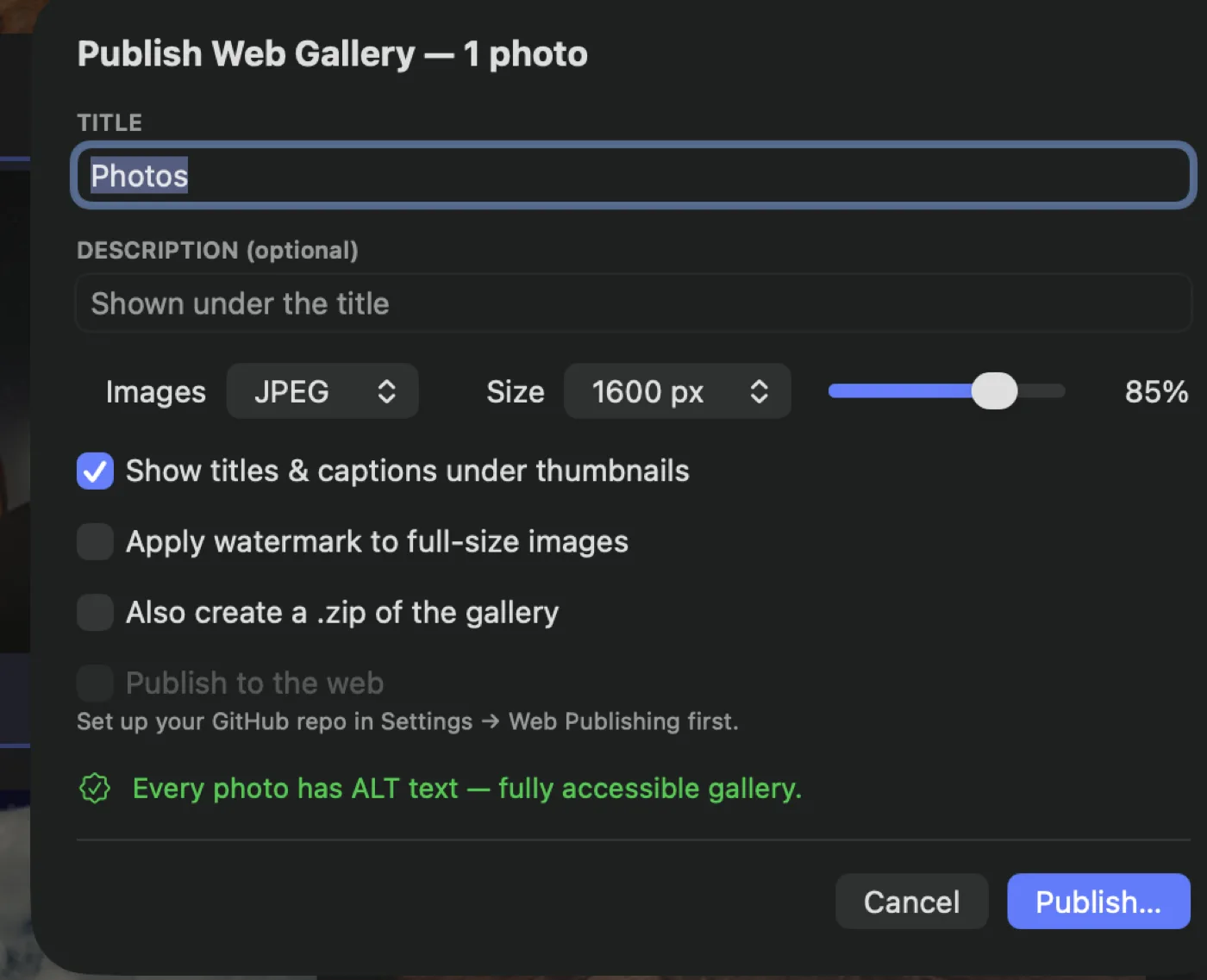
One command builds a complete, self-contained site: an accessible HTML page, full-size renditions with your metadata stamped in, thumbnails, and a manifest. No tracking, no analytics, no framework, no CDN. A folder you could host anywhere or hand to a client on a drive.
The page is genuinely accessible, not accessible-shaped. Every image carries its ALT text. Captions sit in real figcaptions. The lightbox is a proper ARIA dialog with Escape and arrow-key navigation that moves focus in on open and returns it to where you were on close. It adapts to light and dark. And with JavaScript disabled the links still work.
Before it builds, Alter counts what is missing and tells you: either an orange warning that some photos have no ALT text yet, or a green all-clear. You never publish an inaccessible gallery by accident.
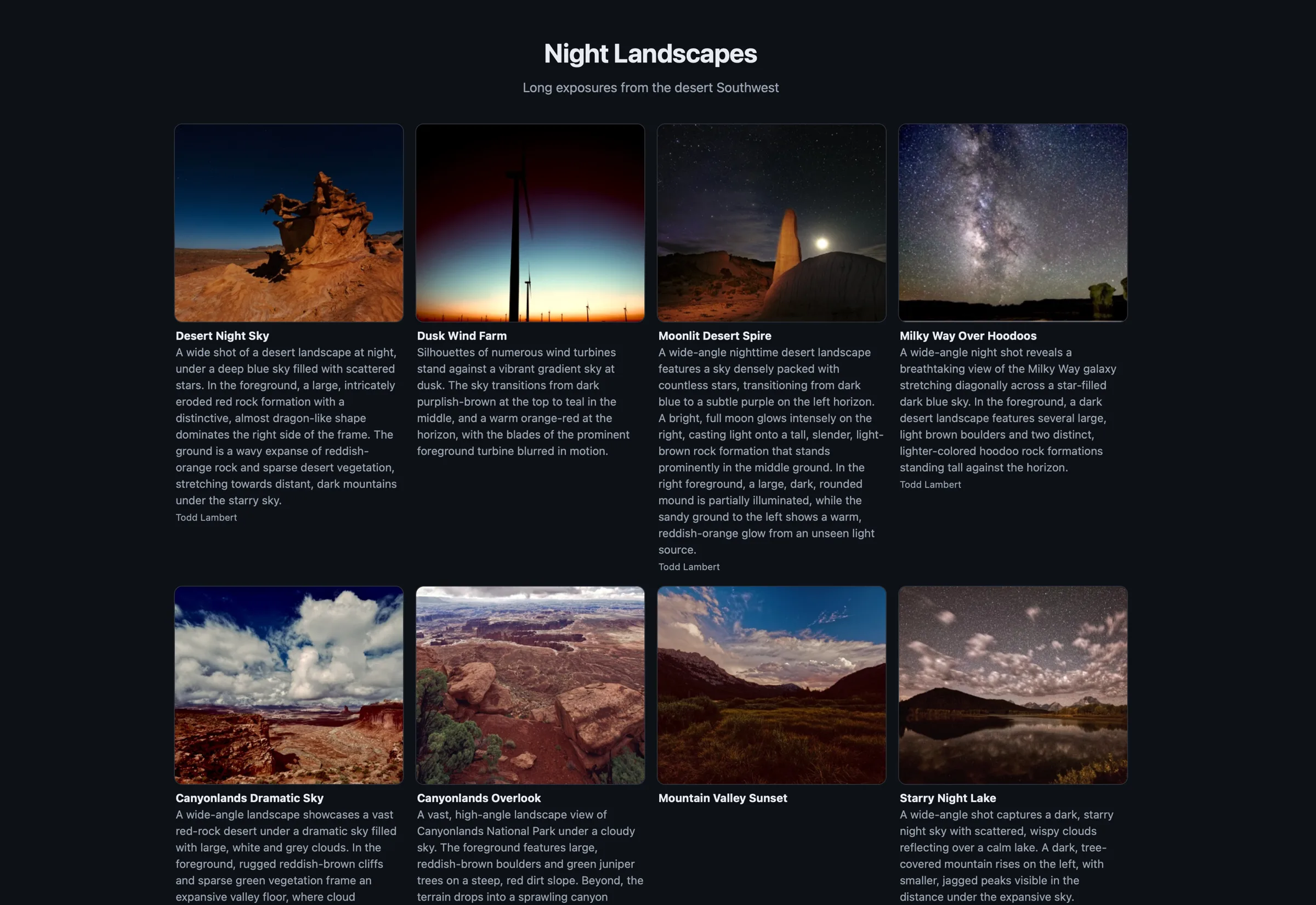
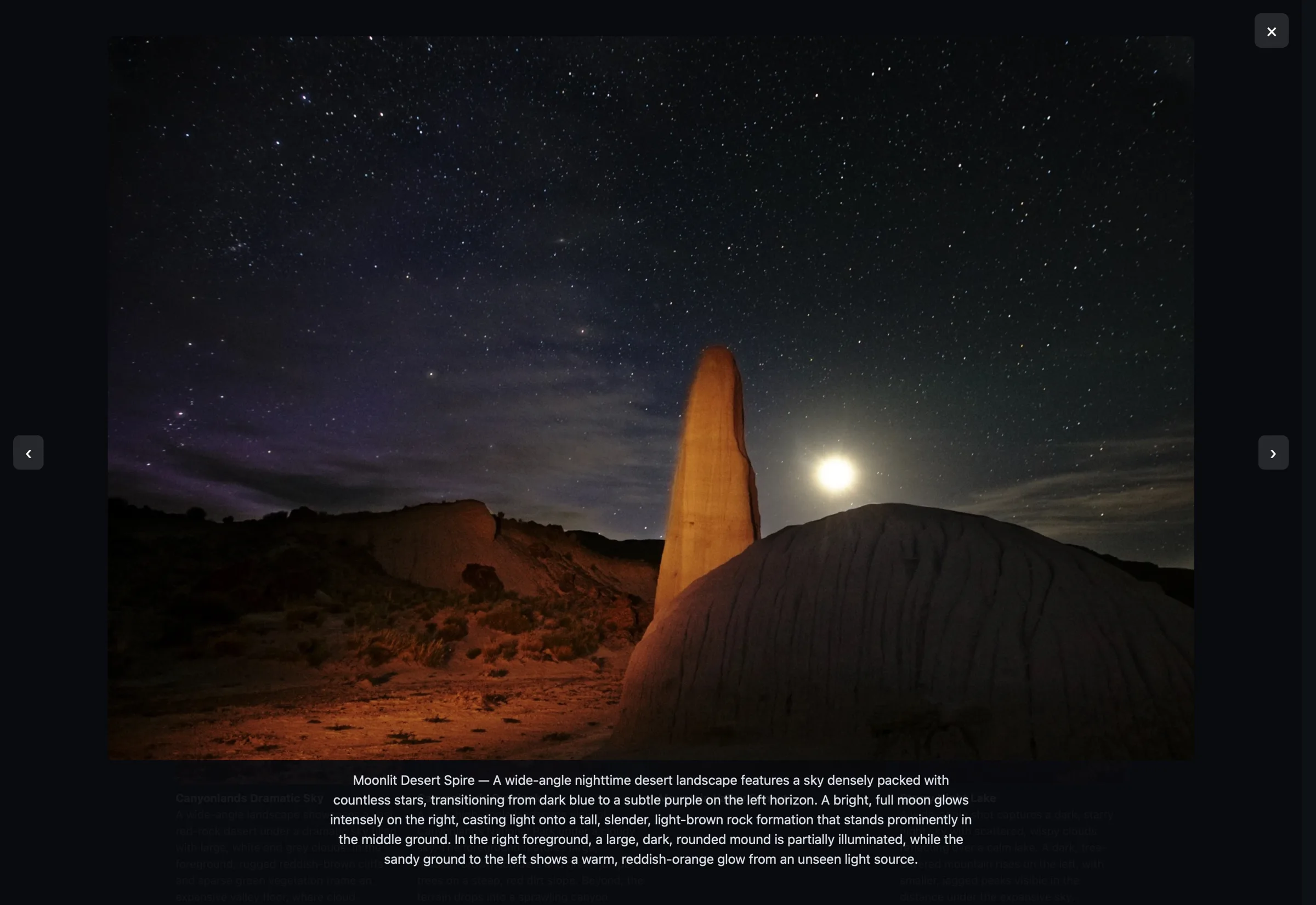
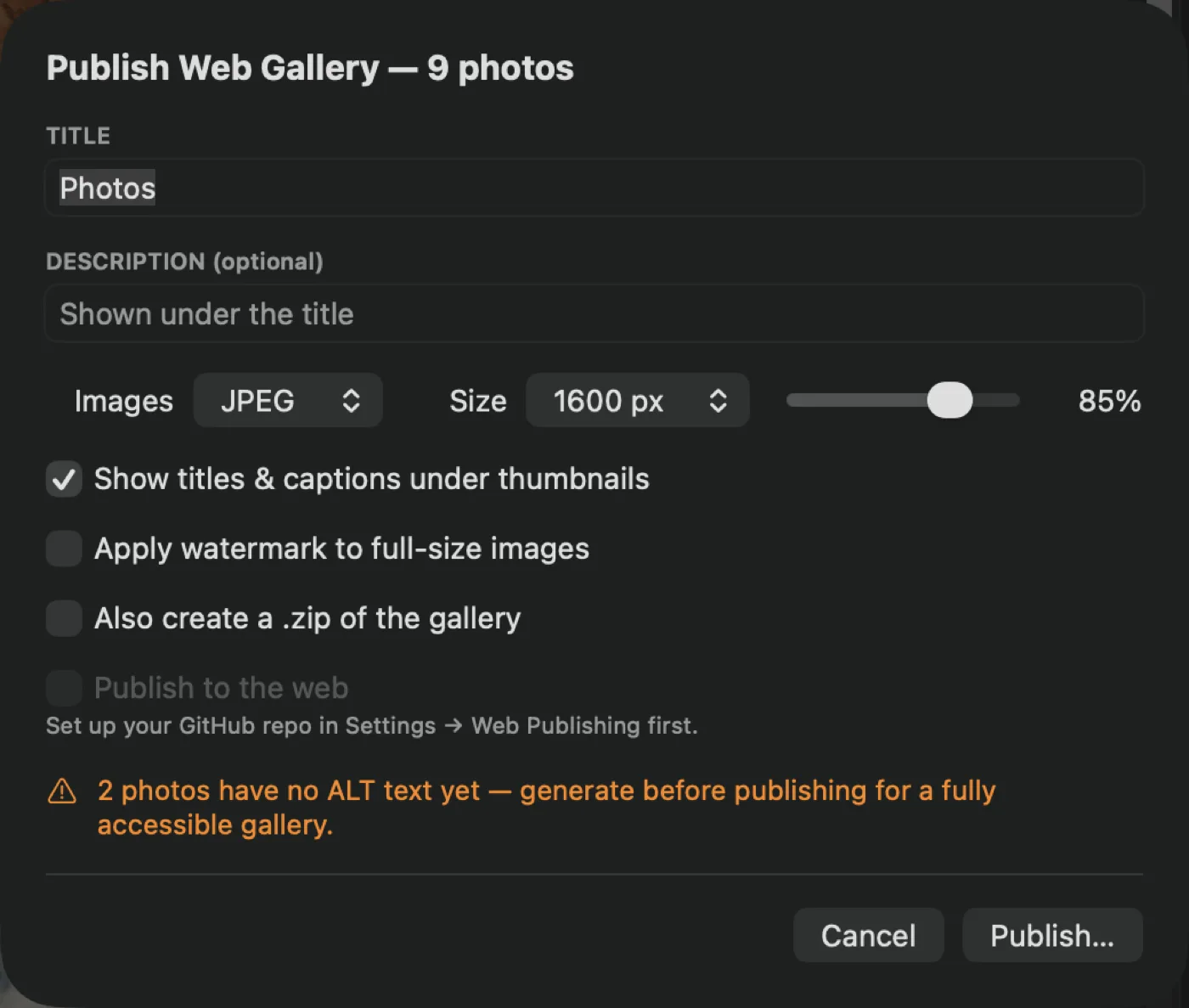
Point Alter at a GitHub repository and a fine-grained token and publishing deploys straight to GitHub Pages — blob, tree, commit, ref, with per-file progress. Bring a custom domain or use the default address. A local copy always stays in Pictures → Alter Web Galleries.
It is your repository, your domain, your audience. Alter is not in the middle of it.
A published gallery can subscribe itself to your Apple TV through the Twilightscapes app. Shoot in the afternoon, publish before dinner, and it is on the big screen in the living room — described, captioned, and yours.
Sign in through Bluesky itself — no app password; the session is bound to a key on your Mac — and post up to four photos, each one uploaded with its ALT text already attached. Not a reminder to add it. Attached. Your adjustments and any animation you built are baked into what goes out.
Video posts natively, with alt text and the correct aspect ratio. If you edited it in the timeline, Alter renders your cut first and posts that — not the raw file. And a still photo you animated posts as real video.
Schedule for later and Alter renders the media into an outbox at scheduling time, so firing needs nothing but a network connection. It wakes in short slices so sleep cannot make it overshoot, and anything that came due while the app was closed posts on the next launch.
Already signed in on Twilightscapes? You are signed in here.
Everything you posted, searchable, filtered by posted, failed, photos, or video, sorted by newest, oldest, most liked, or most engagement. Look at it as a list, a grid, a gallery, or a calendar.
Likes, reposts, and replies come back from Bluesky and turn into charts: Engagement over time, and Best Times — which hour of the day your work actually lands.
Neither platform offers the posting access Alter would need, so Alter does the honest thing: it renders your creation, copies your text to the clipboard, reveals the file in Finder, and opens the composer with your text already filled in. Drag the file in and post.
For YouTube, any caption sidecars you generated are revealed alongside the video, ready for the Subtitles panel.
Accessibility
ALT text is not a checkbox at the end of this app. It is the reason the app exists — and that runs in both directions. Alter helps sighted people describe their photos, and it lets people who cannot see their photos find out what is in them.
Generate a description for one photo and VoiceOver speaks it aloud. Not "generation complete" — the actual text. Select an undescribed photo, press ⌘G, and hear what is in your own picture.
Run a batch and it speaks the tally instead, because a hundred descriptions read verbatim is not help. Failures are spoken too, rather than failing silently into a status bar nobody can see.
A grid cell is one element, not a pile of unlabelled images. It announces itself as a photo or a video, by name, and then tells you what it is: has ALT text or no ALT text yet, its rating, whether it is flagged, whether it has been adjusted, whether it has unsaved edits.
Which means you can navigate straight to the photos that still need describing, entirely by voice.
Open a photo with no description and the viewer reads: no ALT text yet — press Command G to generate a description. The app does not just report the problem, it says the words that solve it.
The rating control is a single adjustable element — "3 of 5 stars" — that VoiceOver raises and lowers by swipe, instead of five anonymous star images. The histogram identifies itself. The viewer runs fully from the keyboard.
The timeline editor is labelled end to end. Every clip announces its place in the cut and the slice of source it plays. Every layer bar says what it is — text with its words, image and video by name, audio tracks — and where it sits in time. Keyframe diamonds read out everything they hold: time, scale, rotation, opacity, easing.
The playhead is one adjustable element — VoiceOver steps it through the edit a second at a time. And every Transform slider, grade slider, and volume control speaks its name and its value as you change it.
The galleries you build are keyboard-navigable and screen-reader-correct. The Bluesky posts you send carry ALT text on images and on video. The metadata you write lands in the standard fields other software actually reads.
Accessibility that stops at your own screen is not accessibility. It has to survive the export.
The rest of it
Export presets that remember everything. Watermarks that know better than to stamp a thumbnail. Reusable text with tokens. A real map. Fonts that never touch your system.
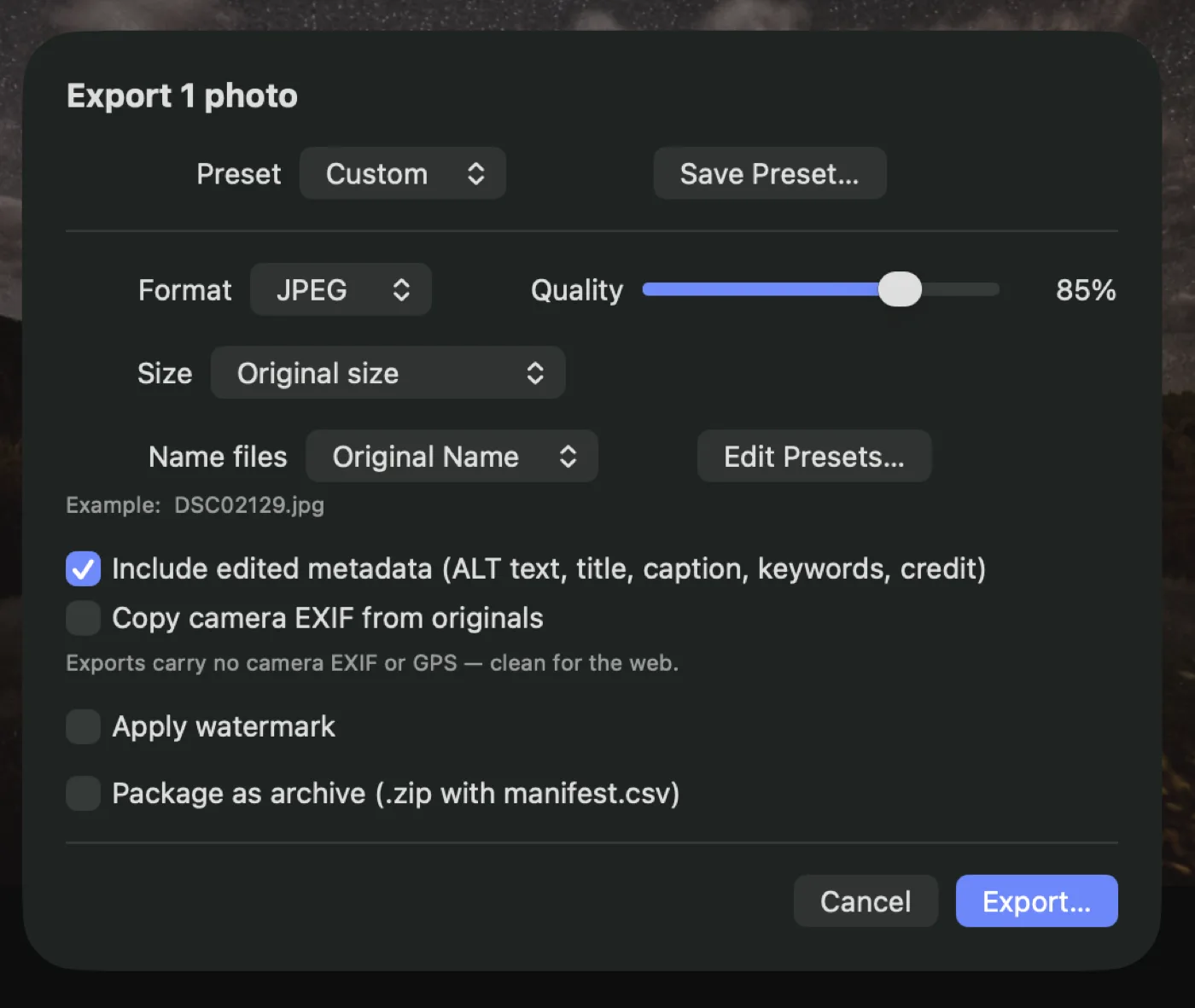
JPEG, PNG, or WebP. Original size or 2048, 1600, 1200, or a number you type. Name files with patterns — {name}, {seq}, {date}, {title} — with a live preview of the filename you are about to get, and save the whole configuration as a preset you can recall.
By default, exports carry no camera EXIF and no GPS. Renditions are encoded fresh from pixels, so your home address does not ride along with a photo of your kitchen. Turn camera EXIF back on if you want it; strip GPS separately if you want the settings but not the location.
Package a job as a .zip with a manifest.csv listing every filename against its title, ALT text, caption, keywords, creator, and copyright — the handoff a publisher or a client actually wants.
Set it once in Settings: your PNG, one of nine positions, size as a share of the photo's width, and opacity. Then switch it on per job.
It never touches your originals, and it never lands on gallery thumbnails — a watermark at 480 pixels is just clutter.
Reusable text for any metadata field, with tokens that fill themselves in per photo: {name}, {date}, {title}. A copyright line becomes © 2026 Your Name across a whole shoot in one command. Applied to keywords, snippets append rather than replace.
The Info tab shows the shot data — camera, lens, exposure, aperture, ISO, focal length, capture date, dimensions — as selectable text, with a live mini-map when there are coordinates.
Click the map for a real Mapkit editor: zoom, satellite and hybrid, place search, click anywhere to drop a pin. Save the spots you shoot at often by name and reuse them. Apply to one photo or to everything you have selected — or strip location entirely.
Eleven open-license families ship inside Alter — display, text, handmade, and classic — registered to the app only. Nothing is installed into your system font book, and nothing you already have is disturbed.
Download
Download Alter, double-click your Aperture library, and pick up where you left off.
Download Alter for Mac Read the source
Version 1.0.8 · Free · Open-source core · macOS 13 or later · Apple Silicon & Intel
No. Alter opens it read-only and never writes inside the
.aplibrary package. Its own catalog lives beside it,
in a separate file.
No. Alter reads the library itself, so it works on Macs that can no longer run Aperture.
Connect the drive before you open the library. Alter looks for each referenced master at the path Aperture recorded.
Alter keeps going. Its core is open source under the Mozilla Public License 2.0, so anyone can build it, fix it and carry it on. And your originals and your Aperture library never depended on Alter in the first place.
Yes. Alter 1.0 is free to download and use.
Found something broken or missing? Something Aperture did that Alter doesn’t yet? Tell us — it comes straight to us.
Your originals stay yours, in place, in their own folders. Your Aperture library stays exactly as you left it. Your galleries publish to your own domain. And the app itself is open source, so it can never be switched off on you.
Download Alter for Mac Read the source
Aperture is a trademark of Apple Inc. Alter is not affiliated with or endorsed by Apple.